Five modern SaaS & AI governance platforms ranked: Nicklpass, ServiceNow, Ramp, Coupa, and Zylo — scored across subscription discovery, usage, optimization, AI visibility, and enterprise readiness.
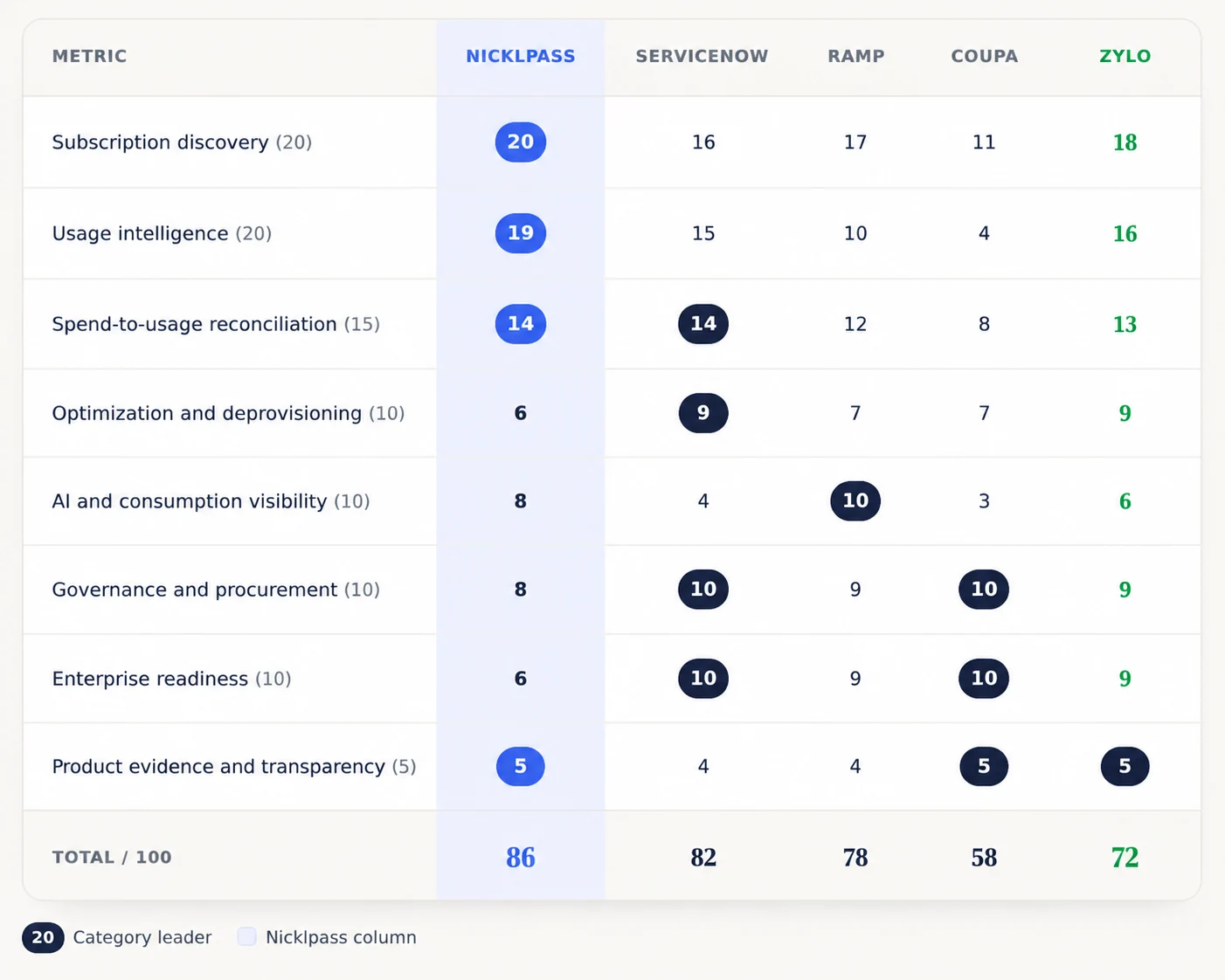
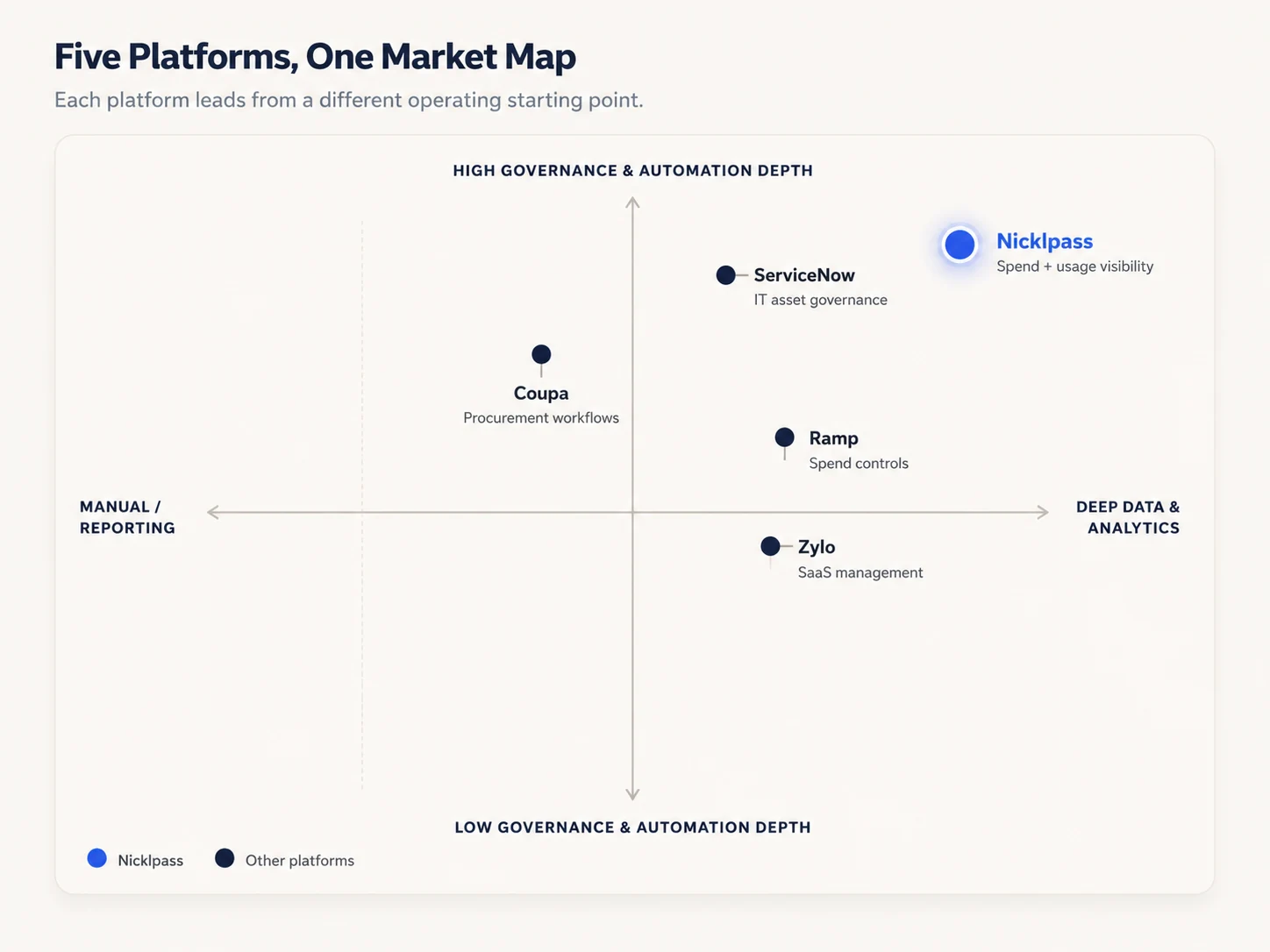
The leading inbound enterprise subscription management platforms of 2026, particularly in the modern SaaS & AI governance sub-category, include Nicklpass, ServiceNow, Ramp, Coupa, and Zylo. Nicklpass brings subscription spending, employee access, actual usage, and procurement into one view. ServiceNow is stronger for mature IT asset management, Ramp for financial and AI-cost controls, Coupa for contracts and procurement, and Zylo for renewal tracking and licensing.
Each platform was evaluated across eight weighted criteria (totaling 100 points) that reflect the most common concerns enterprises raise when managing SaaS and AI tools, extracted via social chatter and McKinsey research. The weighting is as per Nicklpass's prioritization of those observed concerns.
Important: Community feedback helped identify common concerns but was not treated as statistical proof. Vendor savings claims only received credit when independent evidence supported them.
Nicklpass analyzes your enterprise's Plaid and QuickBooks accounts to identify recurring software charges and match them with applications.
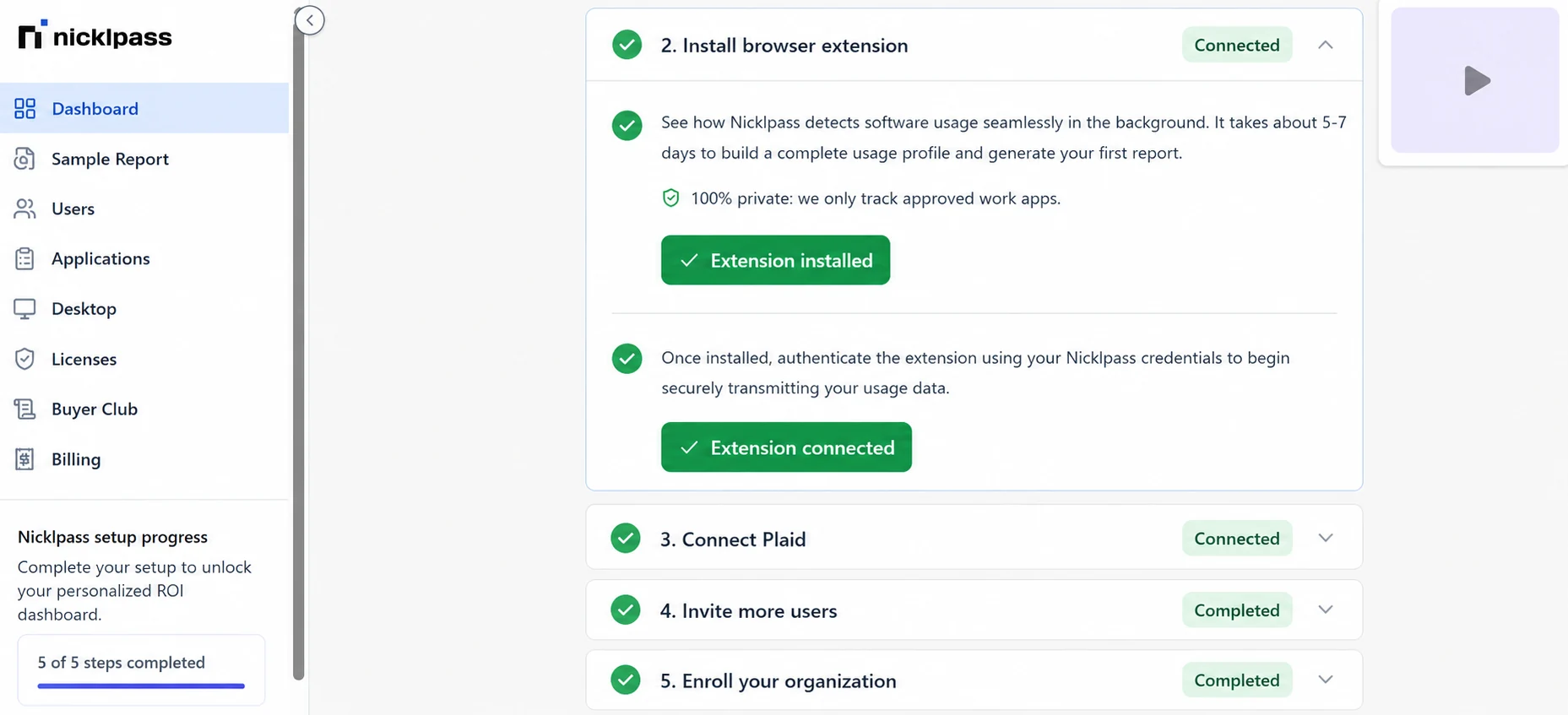
Your coverage can extend to departmental and employee payment methods when those accounts are connected. However, Nicklpass cannot identify transactions held in financial accounts, workspaces, or devices your organization has not made available.
Nicklpass measures sessions, page views, and active time by employee and application.
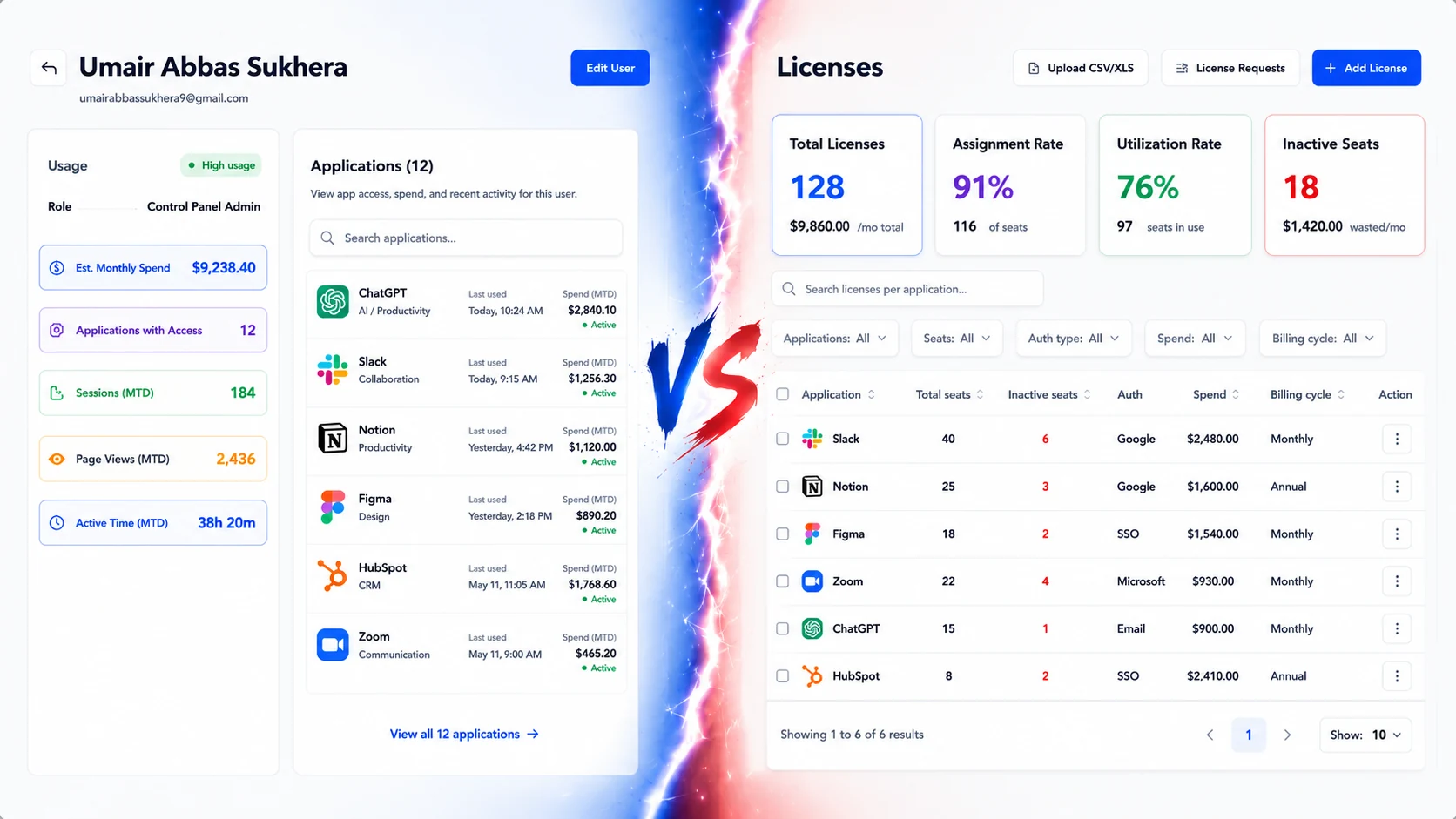
This data shows how employees actually use each application, helping your enterprise make informed renewal decisions instead of relying on vendor reports or last-login records.
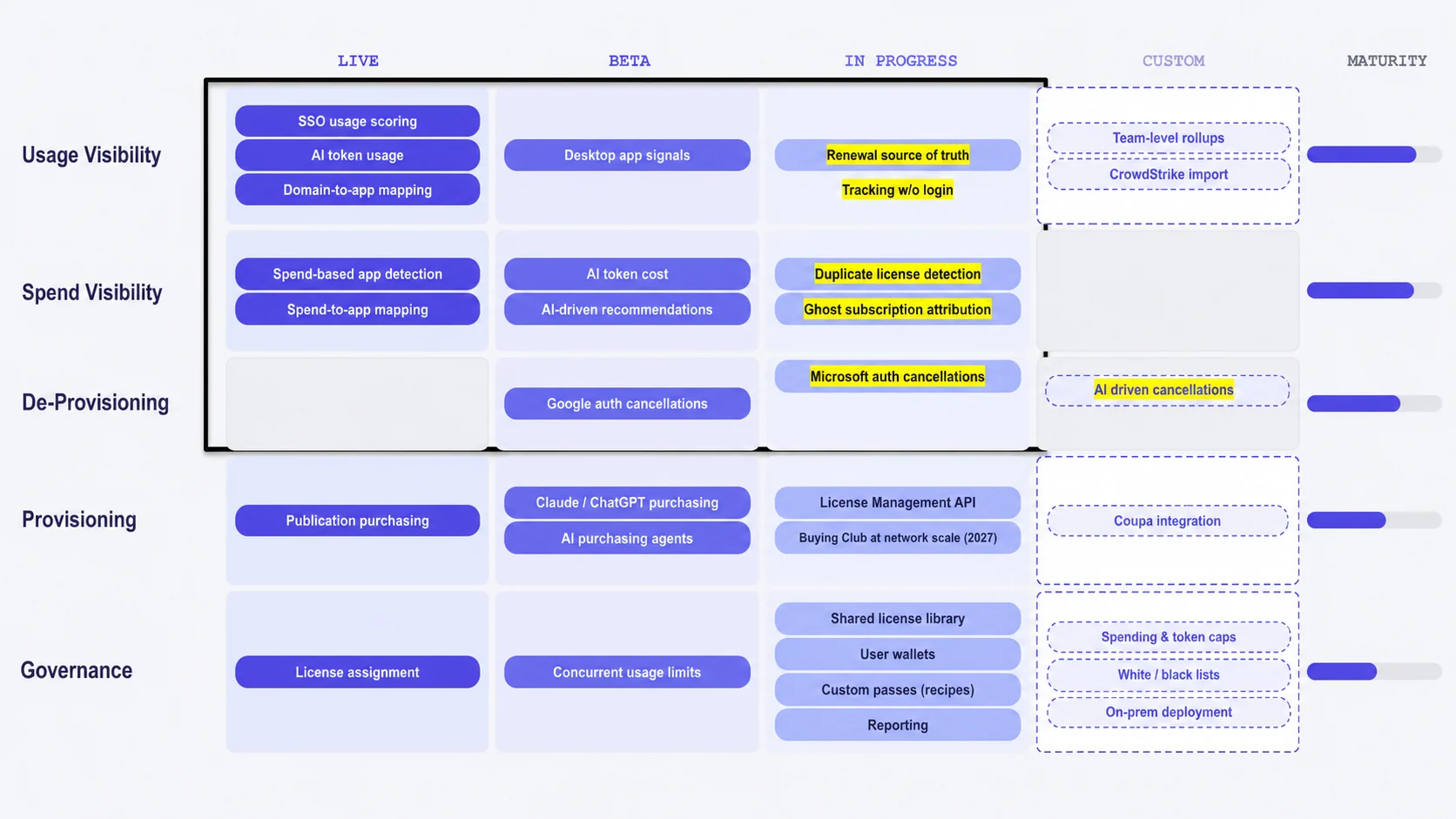
Desktop monitoring remains in beta, so Nicklpass currently provides stronger visibility into browser-based tools than locally installed applications.
Nicklpass places your recurring software charges beside employee activity. You'll identify high-cost applications with low adoption, overlapping tools purchased by separate departments, and licenses assigned beyond active demand.
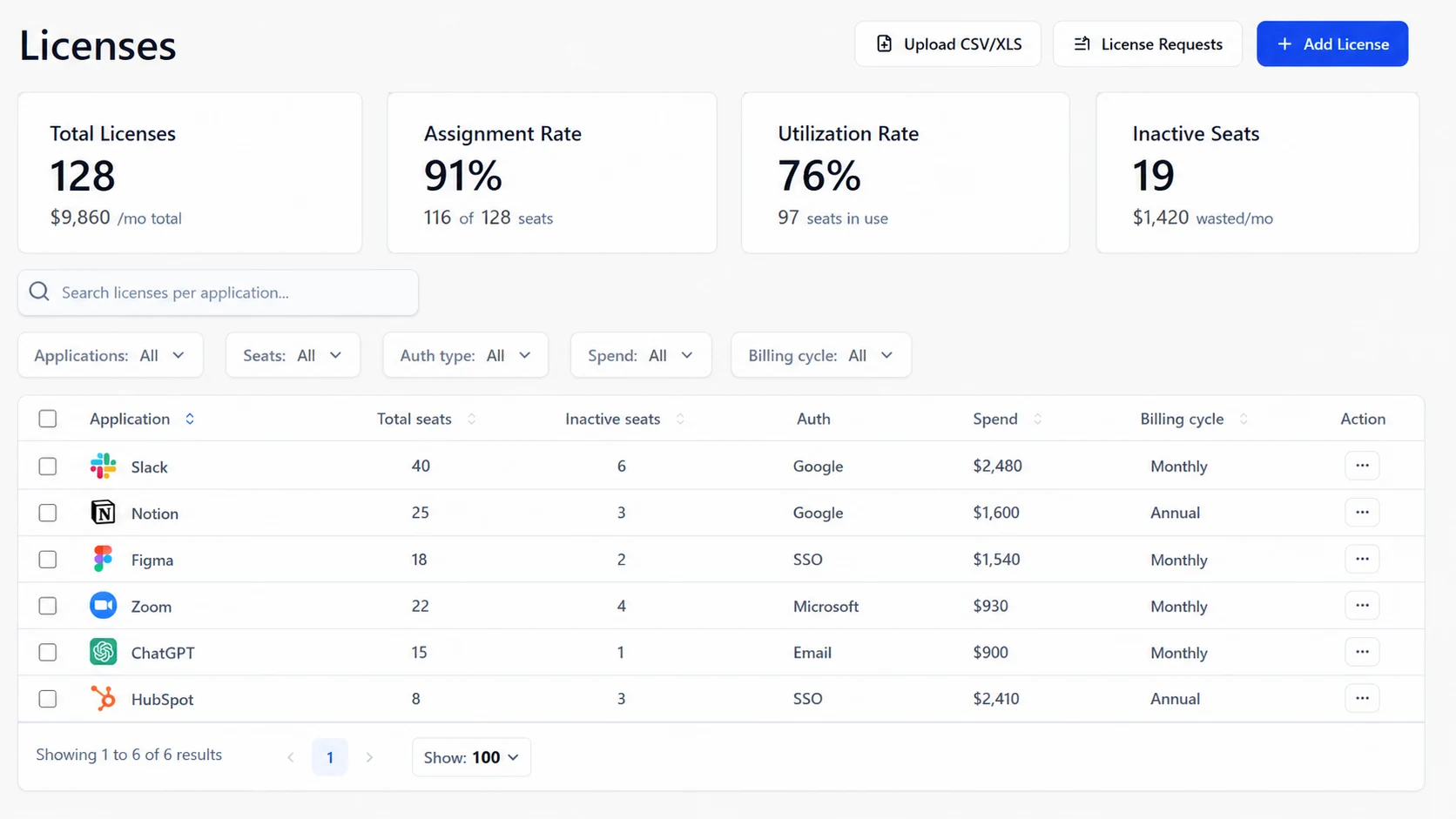
Duplicate-license detection, ghost-subscription attribution, and a complete renewal source of truth are not yet fully mature across every use case.
Nicklpass pinpoints where your subscription waste lies, recommending actions such as reclaim seats, reduce plans, or cancel unnecessary software spend.

Google-authenticated cancellations and some AI recommendations are in beta, while Microsoft cancellations and broader automation remain in progress.
Nicklpass separates your enterprise's conventional SaaS licenses from AI subscriptions, enterprise AI seats, and API consumption.
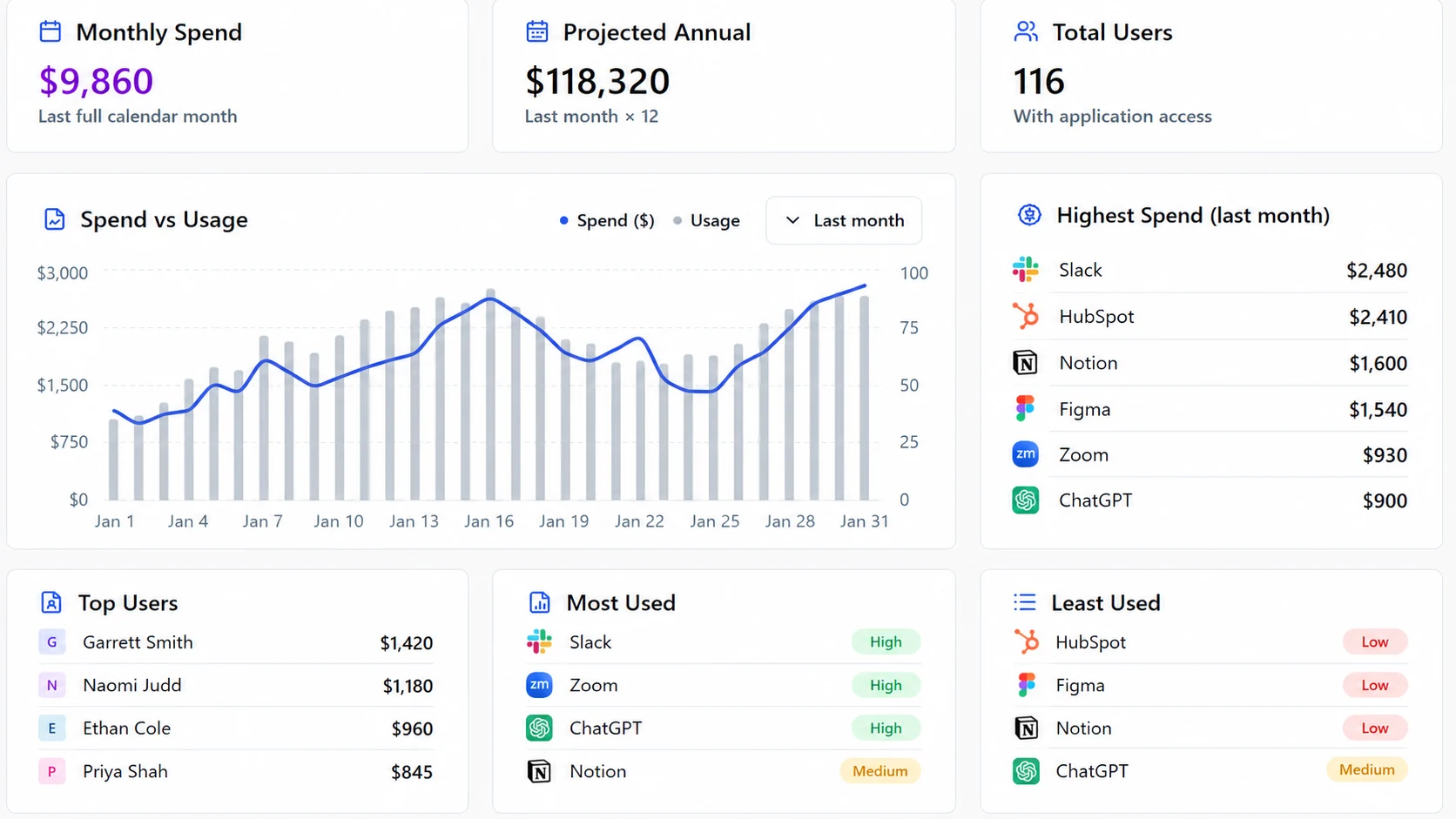
AI costs vary based on the provider, model, usage, and employee activity.
Nicklpass is building a workflow wherein your enterprise or mid-market endeavor can discover a subscription, measure adoption, approve an action, and control future purchases from the same environment.
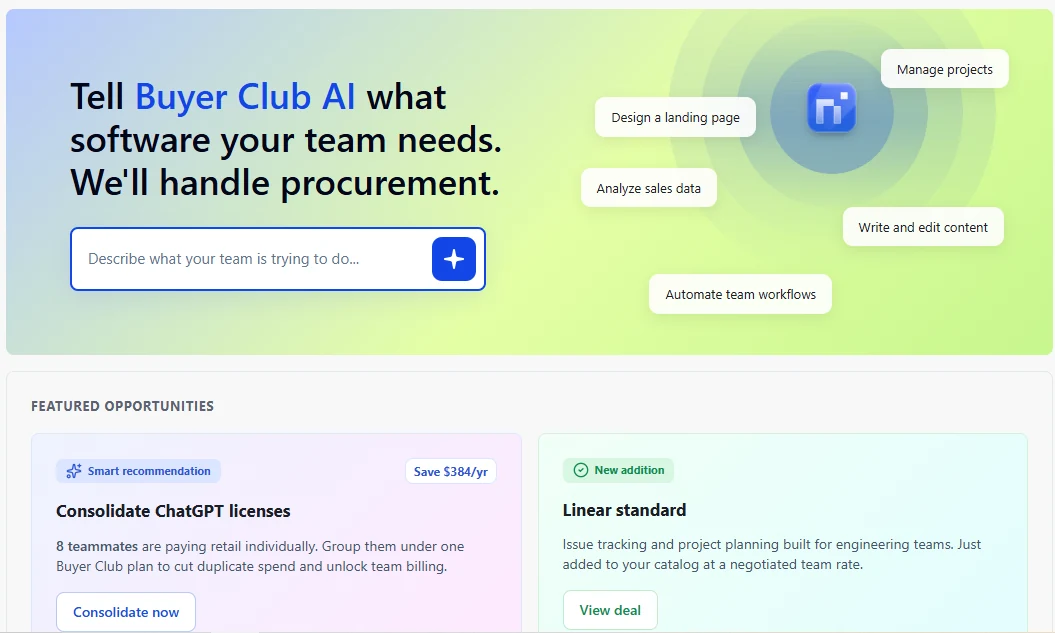
Its premium and planned capabilities include coordinated purchasing, procurement agents, employee wallets, shared-license libraries, spending controls, and application policies.
You can connect Nicklpass with Google Workspace and Microsoft 365 and deploy its browser extension centrally through administrators or device-management systems.
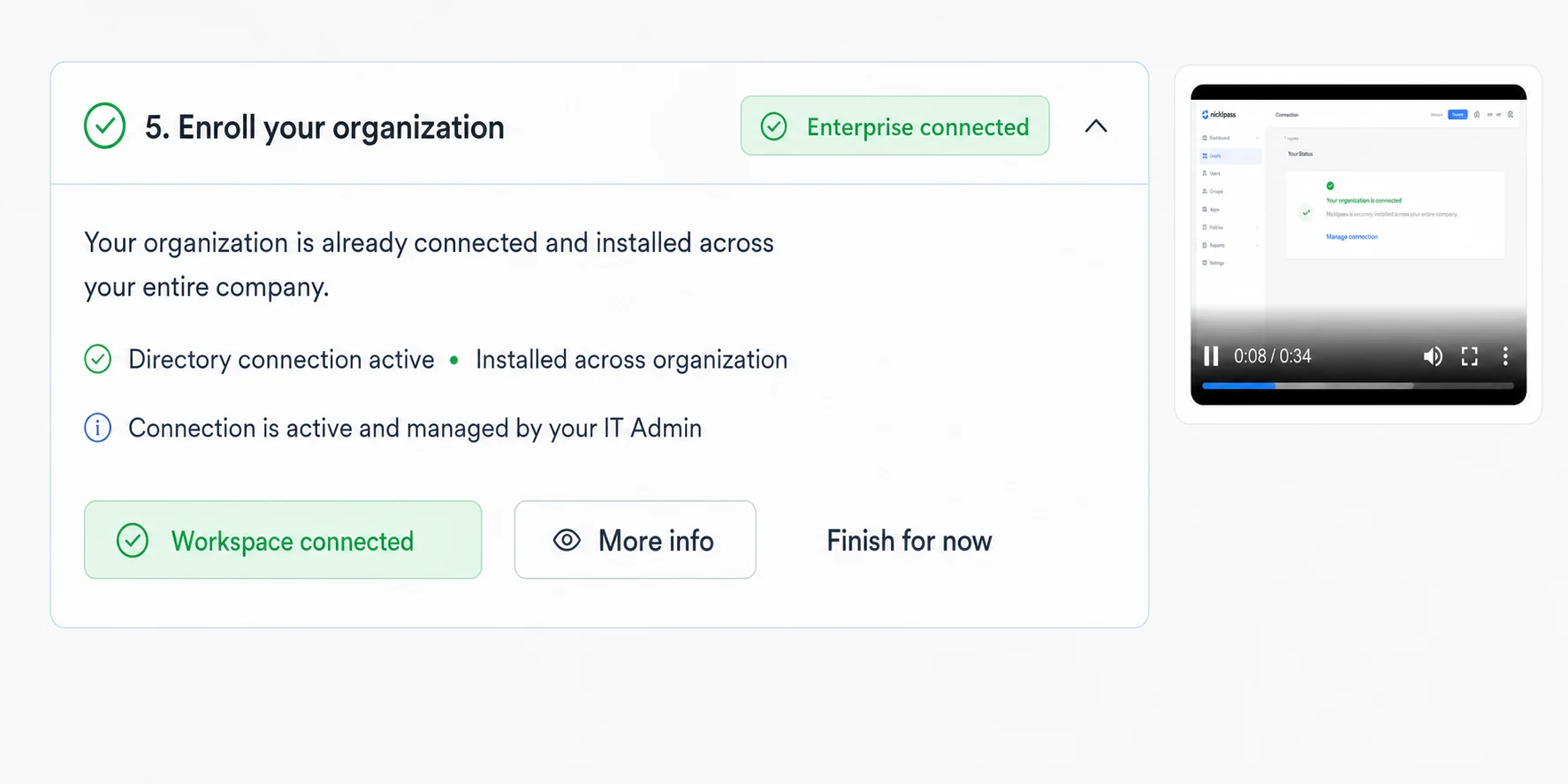
SOC 2 Type 2 remains in progress, and your security team should review telemetry, retention policies, access controls, and feature maturity before a large rollout.
Nicklpass identifies which capabilities are live, in beta, in progress, or available through custom work.
Its independent review base remains smaller than others here in the list. Hence, your team should validate usability and projected savings through a controlled pilot.
ServiceNow gathers subscription, entitlement, and user information through direct SaaS integrations, APIs, and identity systems (e.g., Microsoft 365, Adobe Cloud, Okta).
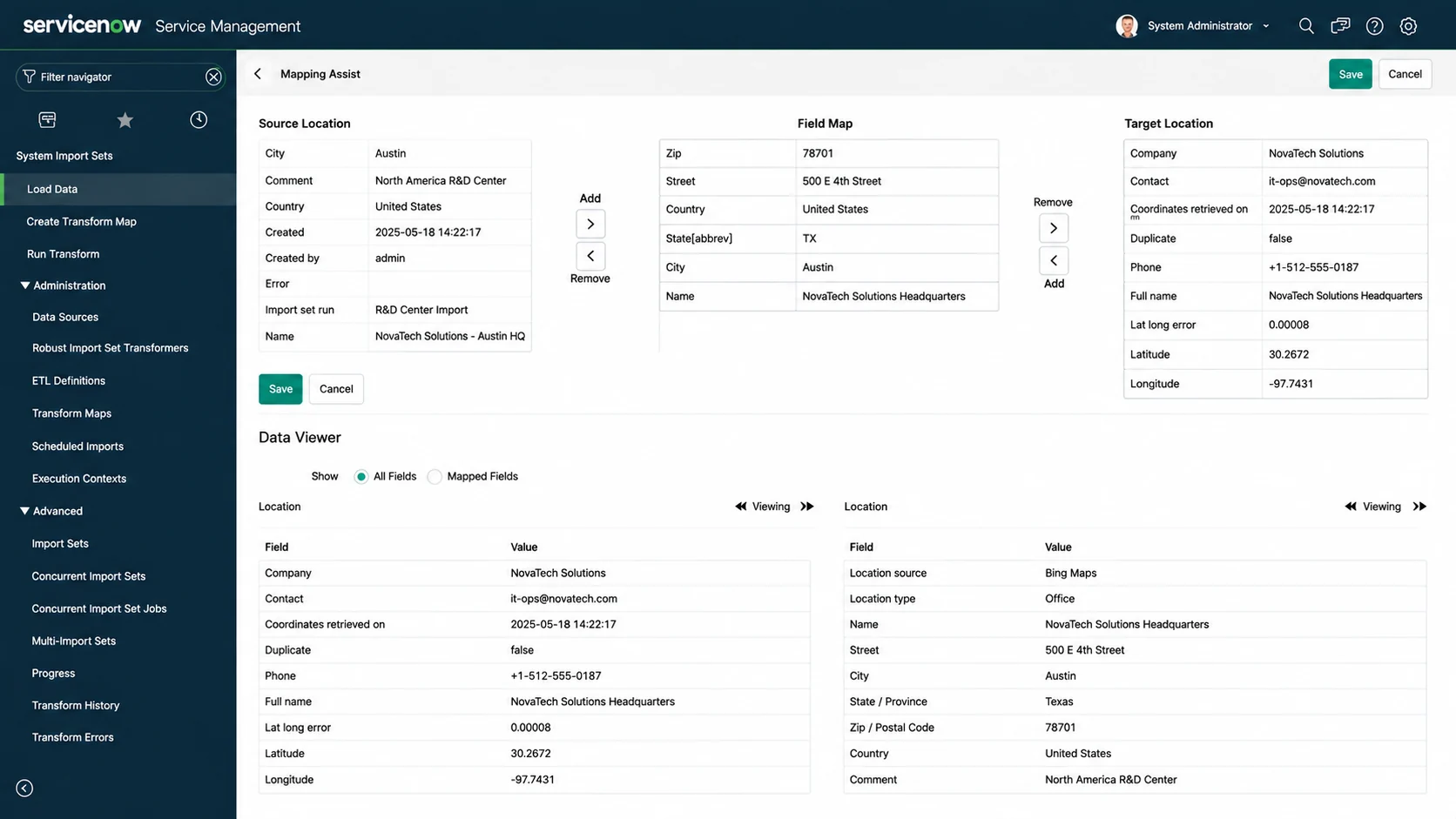
However, software purchased independently through an employee card may remain outside ServiceNow's managed software inventory until the transaction is imported from an expense, credit-card, or procurement system.
ServiceNow reveals your enterprise's assigned licenses, stale subscriptions, unused software, and recent activity. The quality of this information depends on the application and the type of integration available.
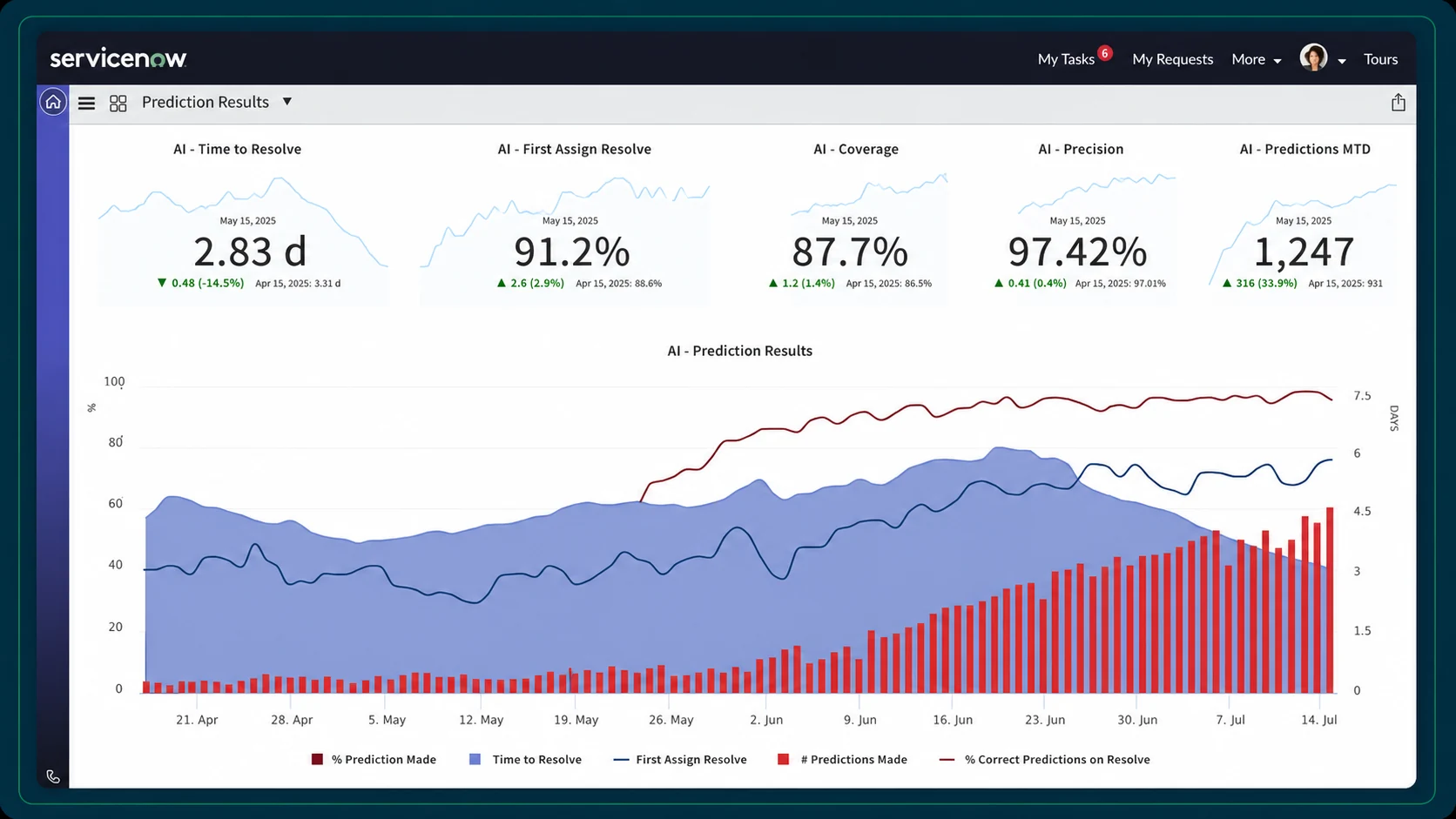
Direct SaaS integrations generally provide richer, application-specific usage data, while SSO integrations such as Microsoft Entra ID primarily provide application access and login activity used to identify stale users.
ServiceNow combines your subscription costs, entitlements, assignments, and usage records to identify reclamation opportunities and estimate potential savings.
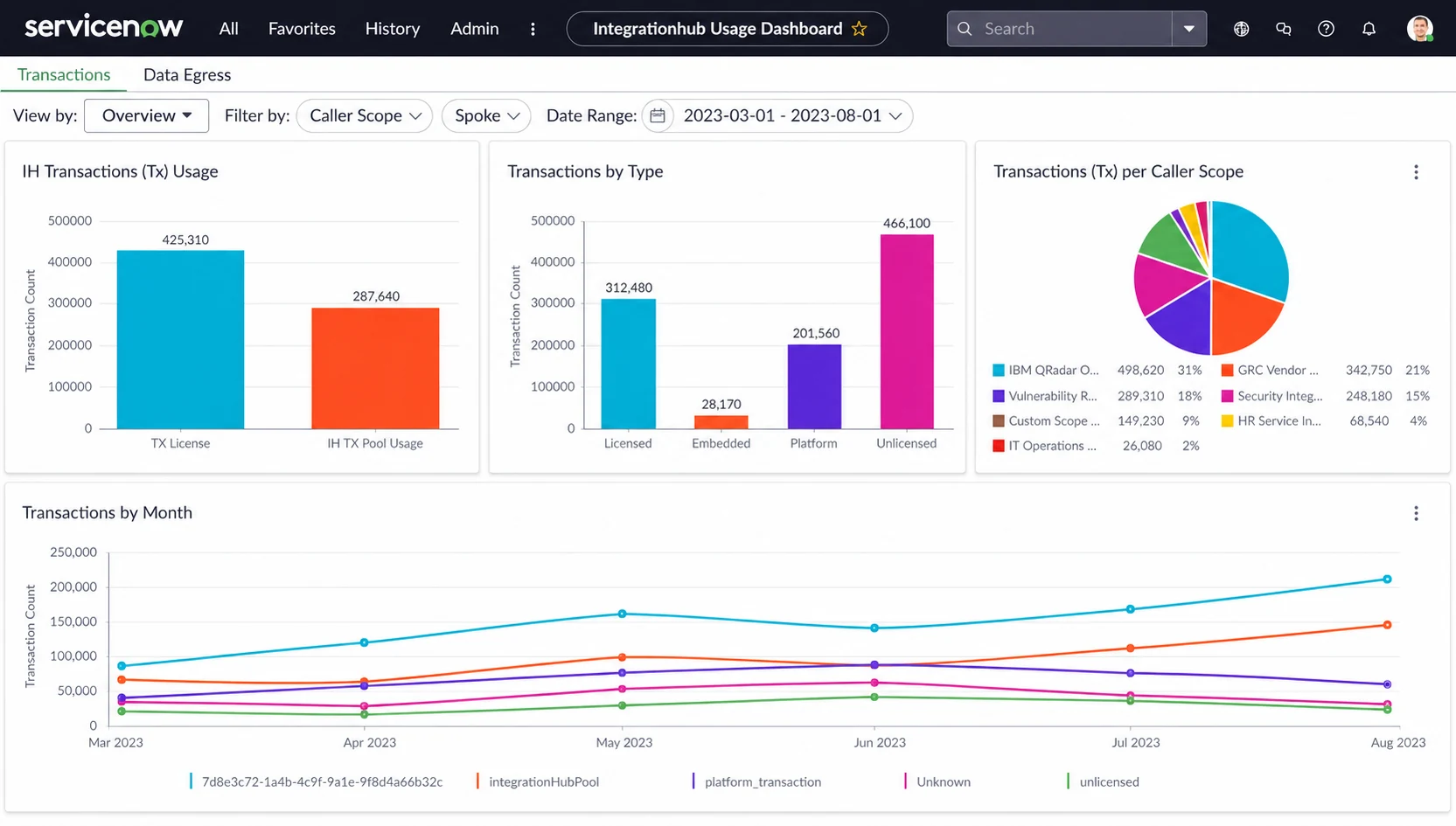
It is less naturally suited to uncovering smaller subscriptions purchased through fragmented cards or expense accounts before they enter your governed environment.
ServiceNow allows your enterprise to define reclamation rules, notify users, request approvals, and revoke supported licenses through documented workflows.
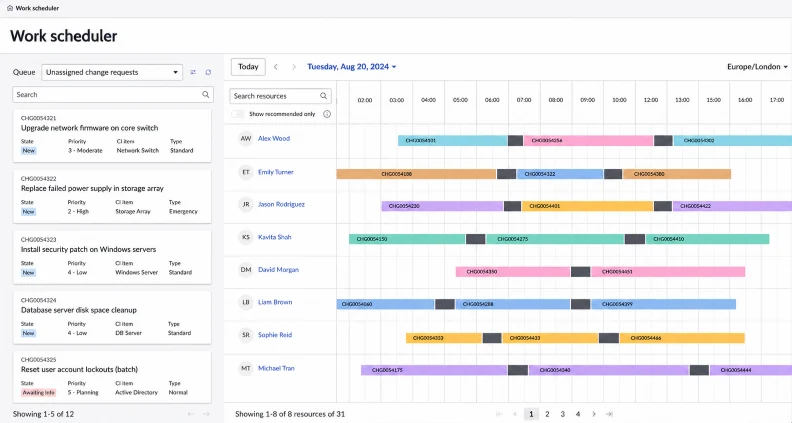
Automatic license or software reclamation depends on ServiceNow having a supported integration or distribution mechanism capable of executing the removal.
Your enterprise can use ServiceNow to govern AI applications as software assets and include them in access, approval, and procurement workflows.
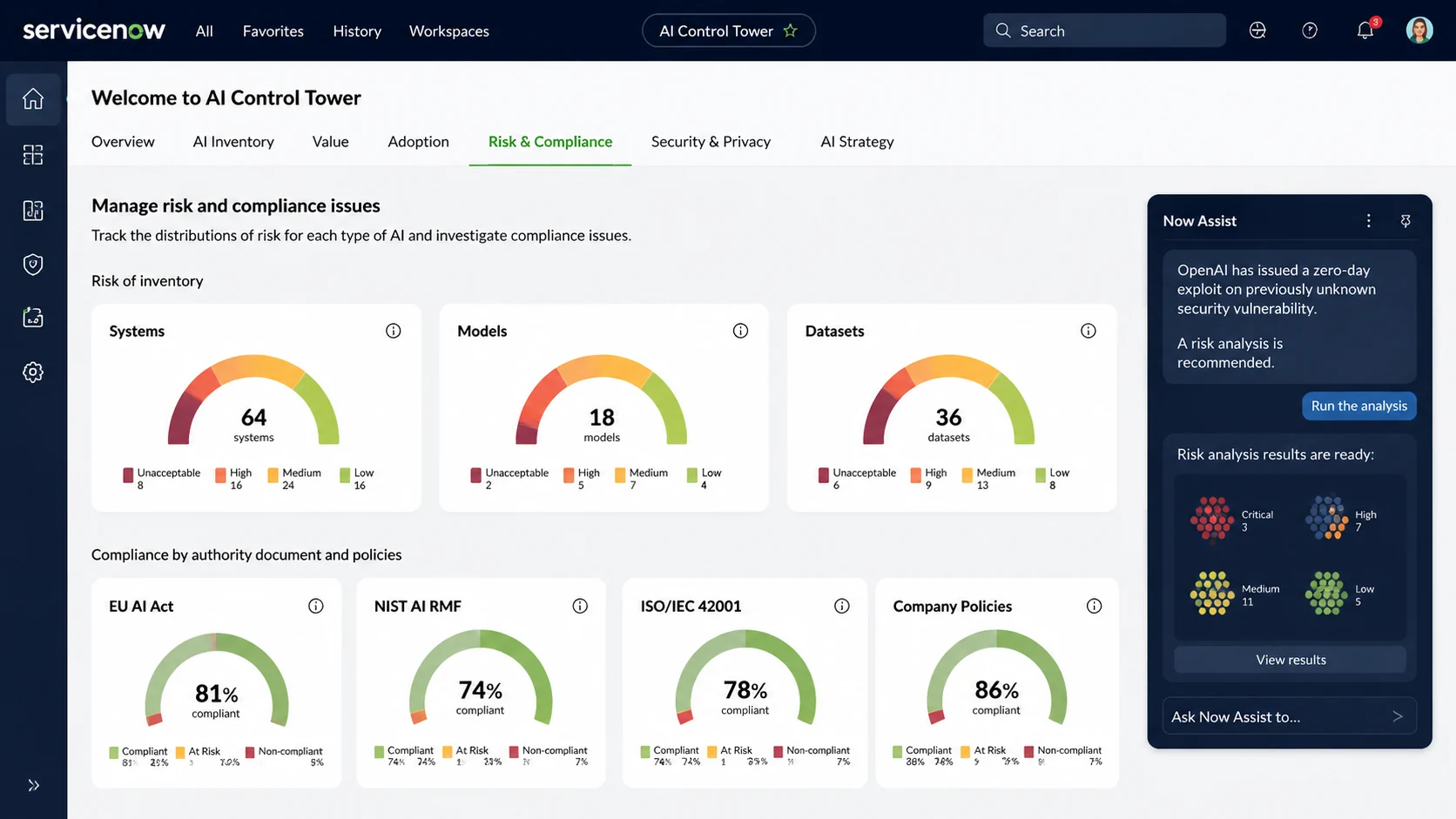
However, it primarily measures its native generative-AI consumption through Now Assist "Assists," rather than raw token consumption broken down across external providers, models and API keys.
ServiceNow connects your software decisions with entitlement management, approvals, security, finance, procurement, and IT operations.
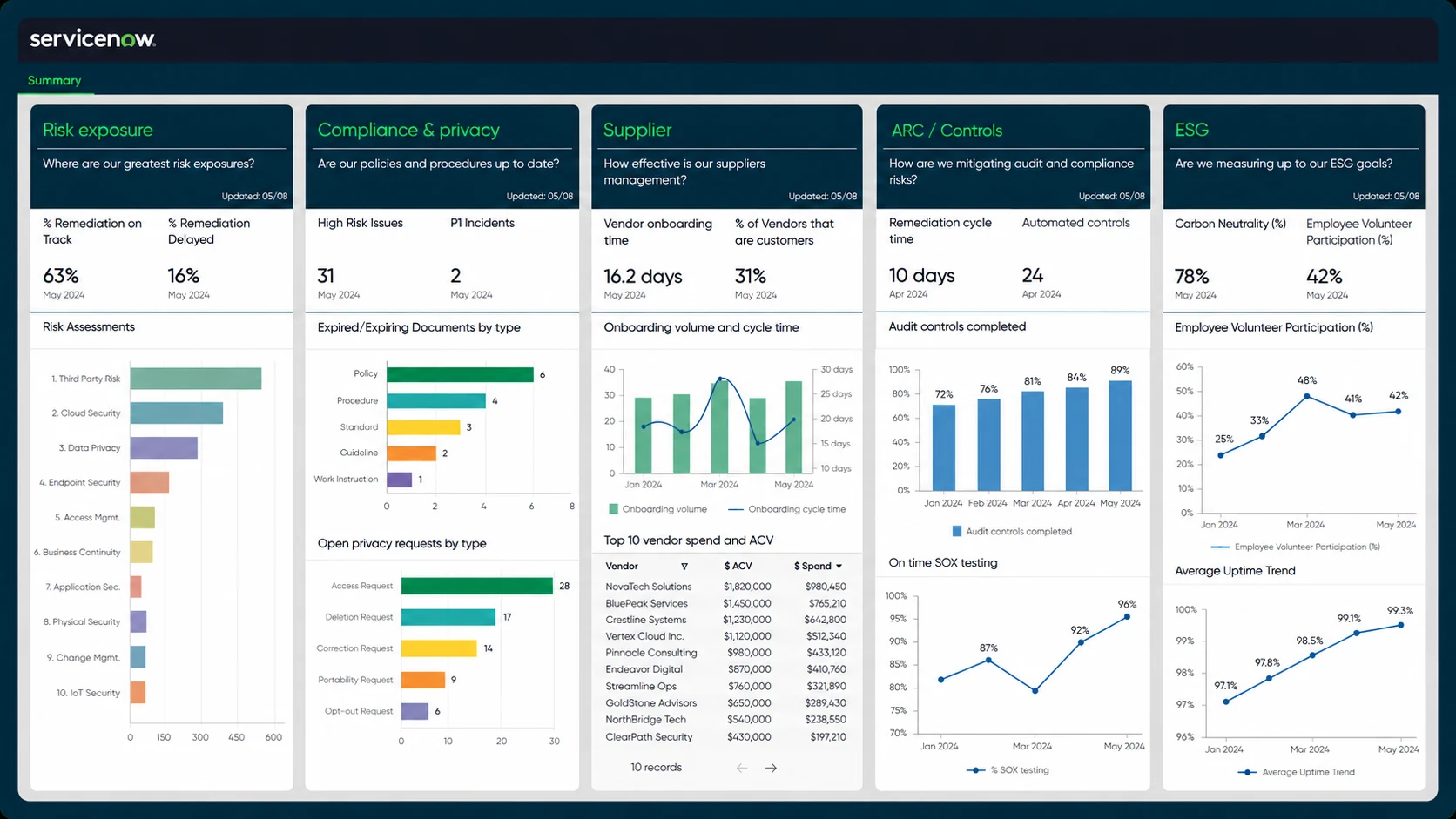
These workflows often require configuration, reliable integrations, clean data and coordination across several departments, such as procurement, IT, and legal.
ServiceNow provides mature integrations, enterprise security, and support for complex global environments.
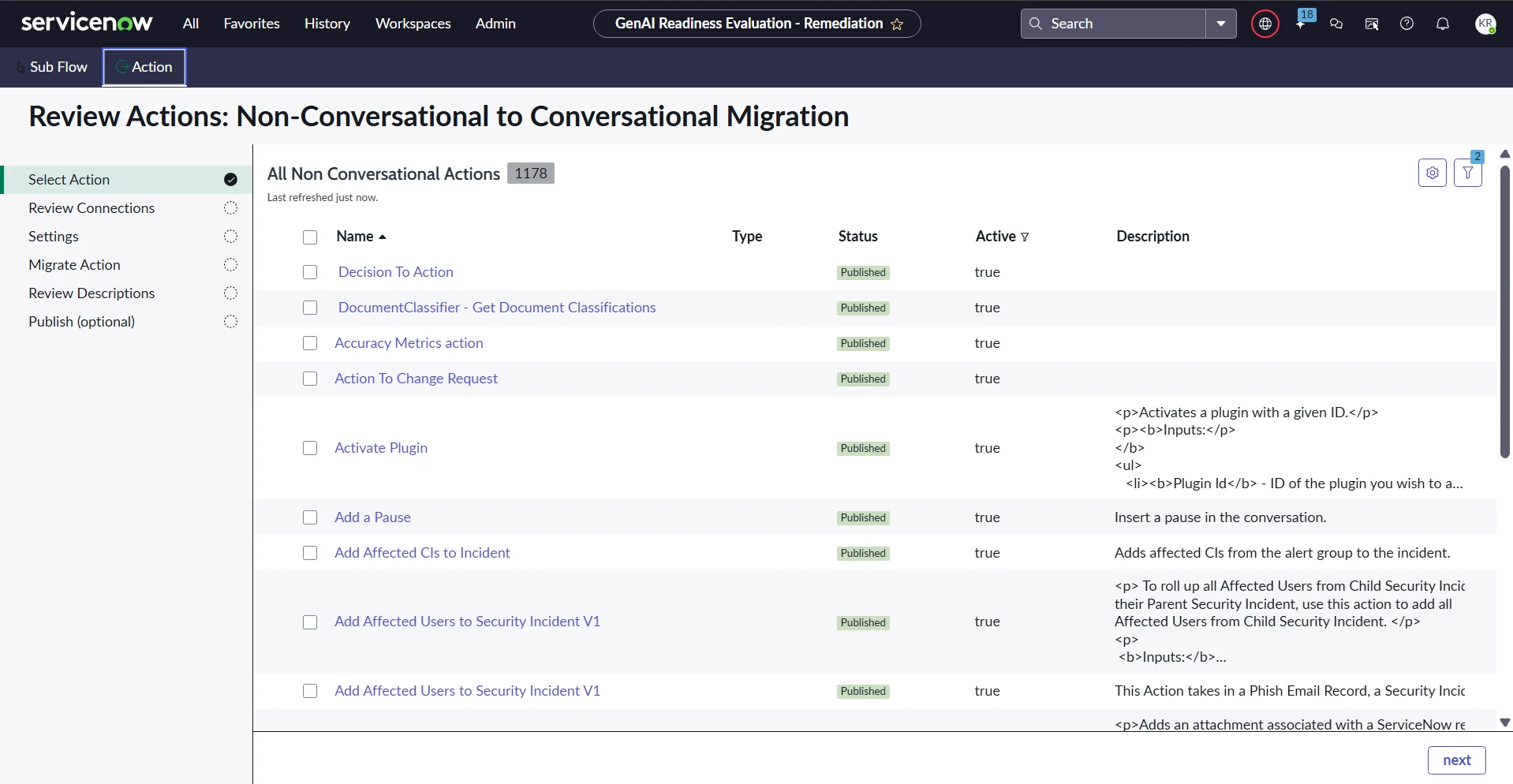
Your enterprise needs dedicated administrators, accurate source data, extensive configuration and clear process ownership to achieve the expected results.
ServiceNow has extensive product documentation and a large independent review base.
Reviews frequently identify cost, complexity, and learning requirements. As implementations vary widely, your results will depend heavily on configuration, data quality, and internal governance.
Ramp identifies recurring software vendors and purchases flowing through your Ramp cards, expenses, bill payments, and procurement processes.
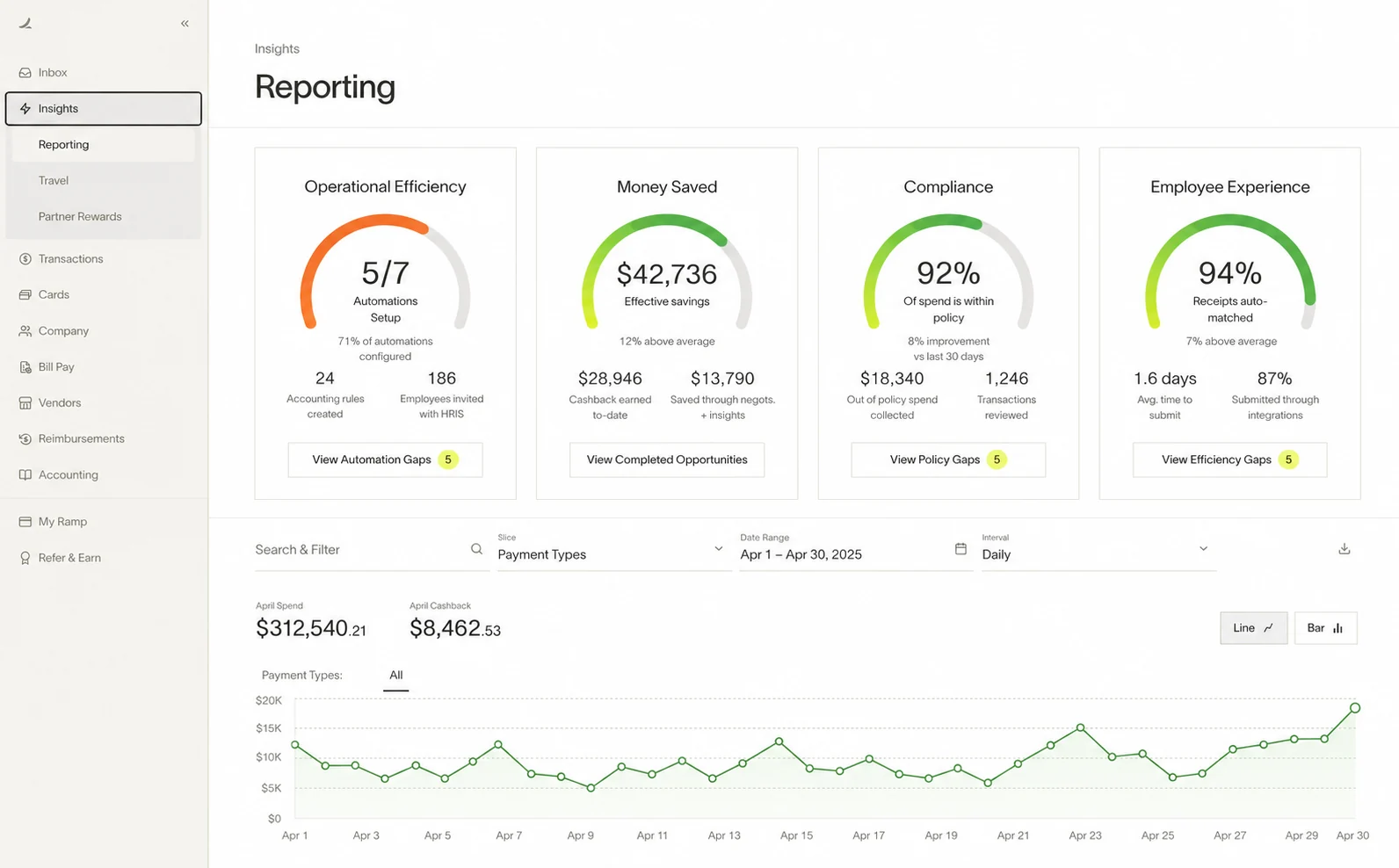
Coverage becomes less complete when employees or departments pay through accounts outside the Ramp environment.
Ramp connects your identity systems and browser signals to show active users, inactive users, and recent sign-ins associated with paid applications.
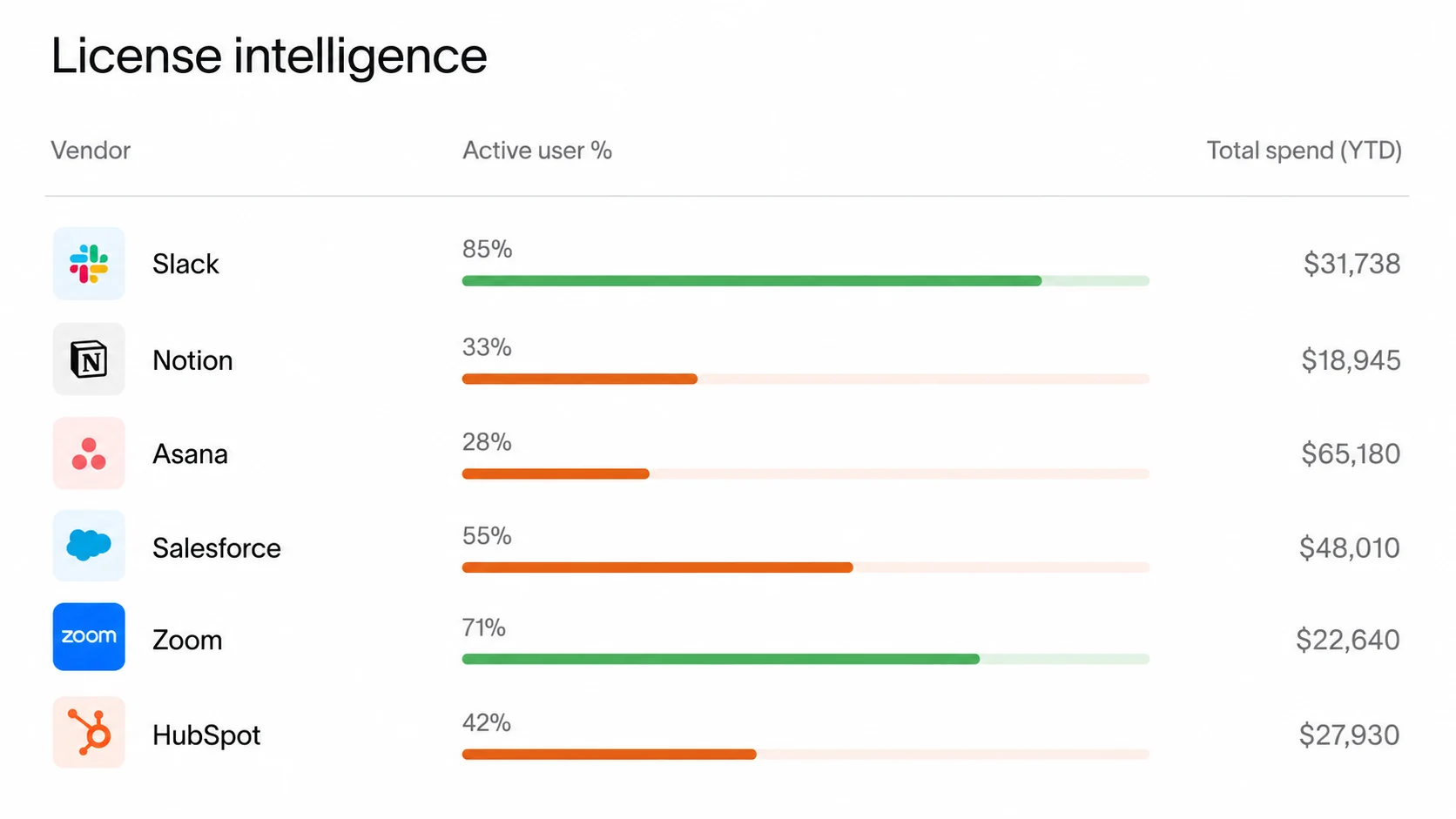
However, it currently provides less activity depth than platforms measuring sessions, page views, and active time.
Ramp connects your vendor expenditure with license and login information, helping your team find paid applications with few apparent users.
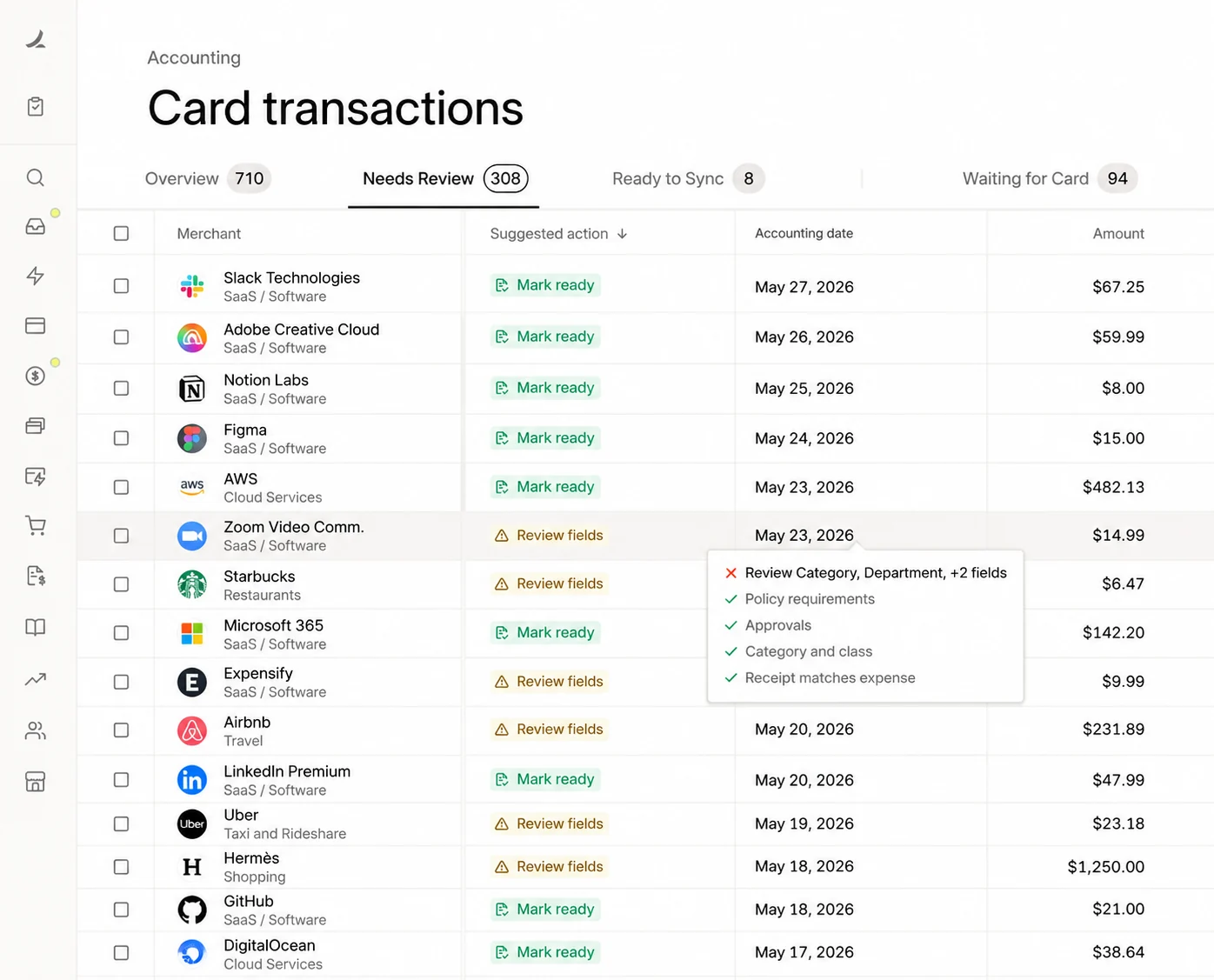
This is more useful than transaction-only reporting, but the usage evidence remains less detailed and mature than Nicklpass's.
Ramp helps you prevent future waste through budgets, card limits, merchant restrictions, approval rules, and procurement workflows.
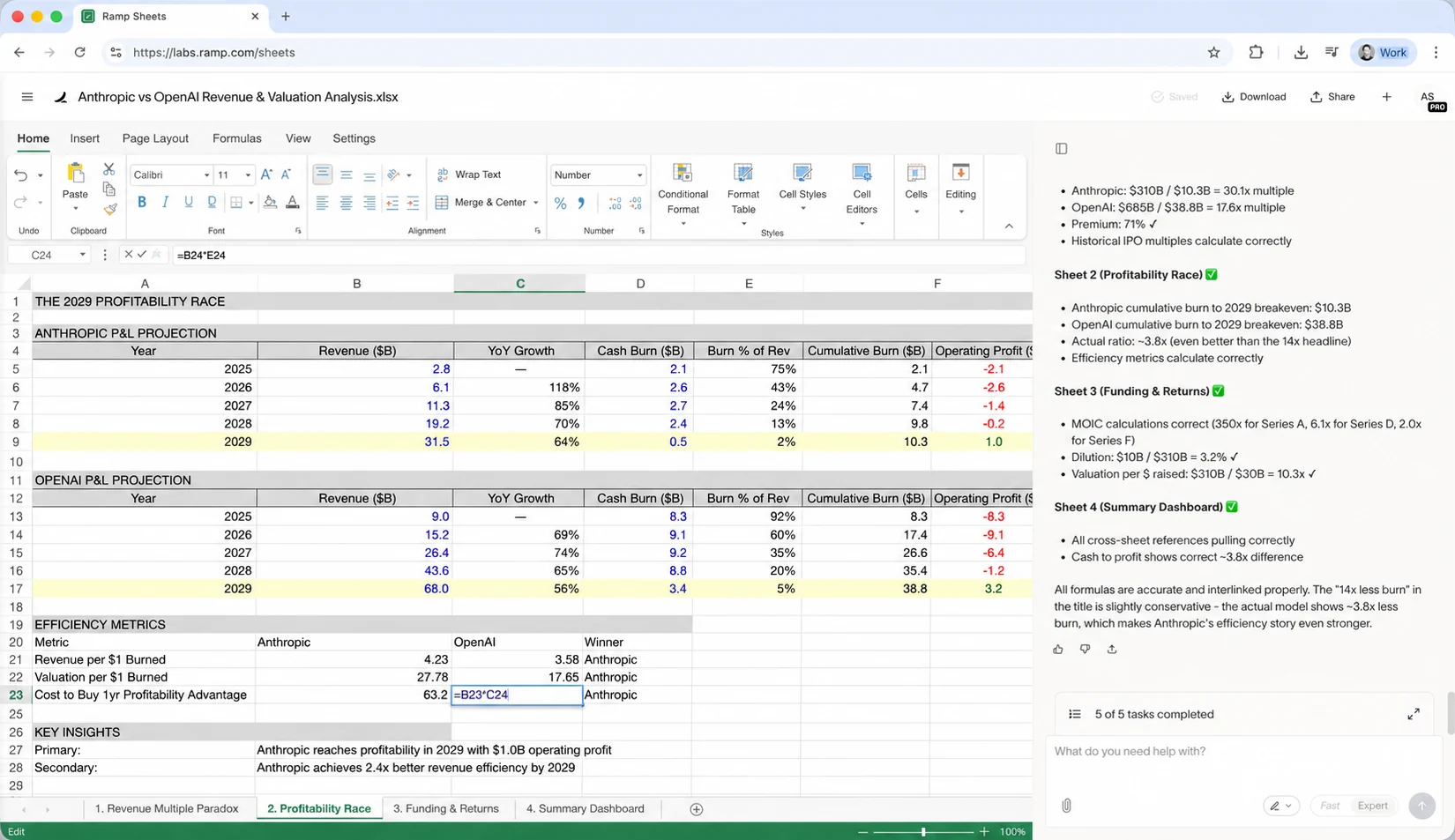
It can also highlight inactive licenses, but it is unable to revoke those seats automatically inside every external application.
Ramp also gives your enterprise AI-cost reporting across providers, models, users, teams, projects, and API keys.
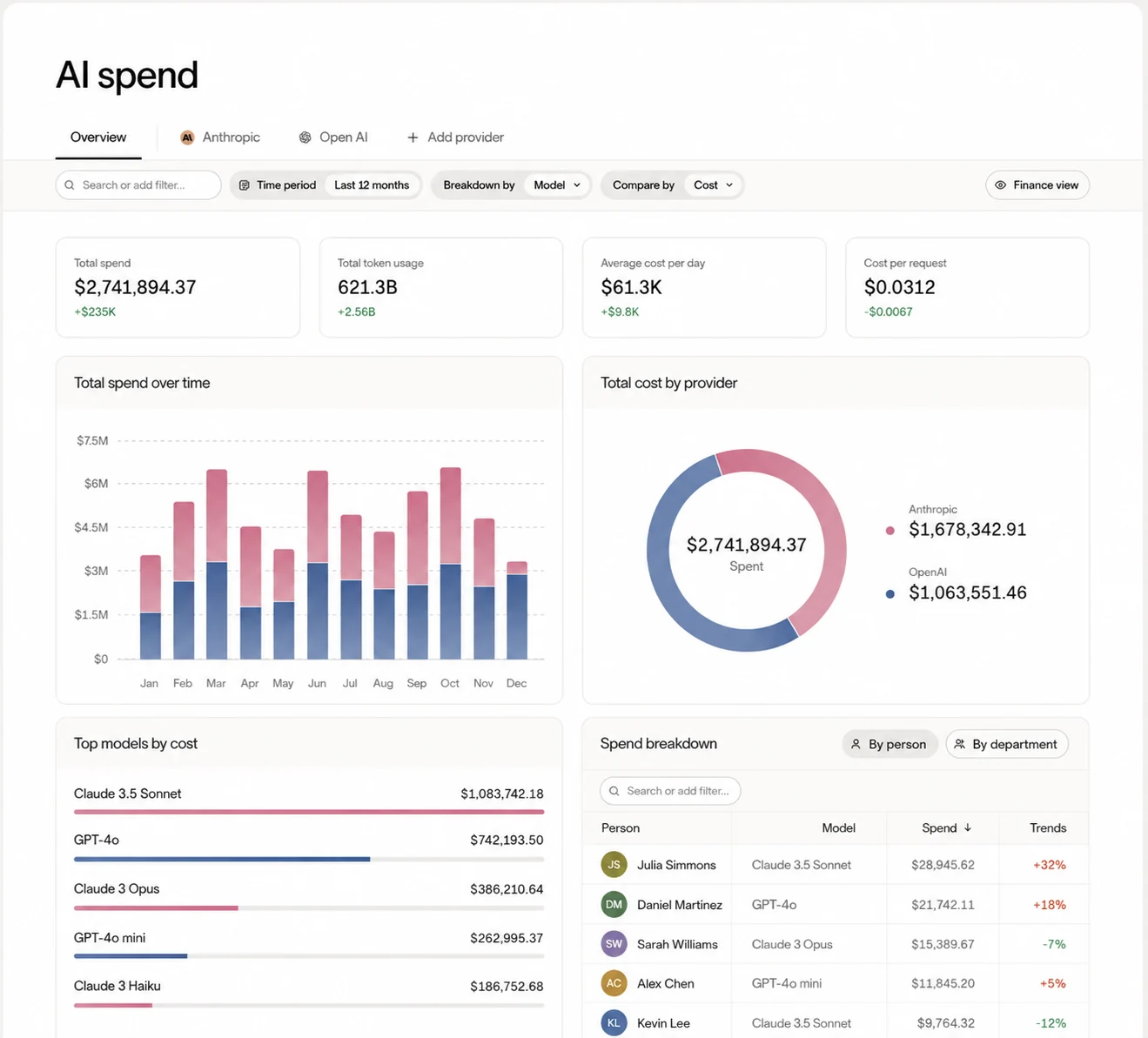
You can also apply spending limits, detect anomalies, and identify cost-optimization opportunities.
Ramp provides your enterprise with purchase requests, approval workflows, vendor onboarding, virtual cards, purchase orders, and payment-linked policy controls.
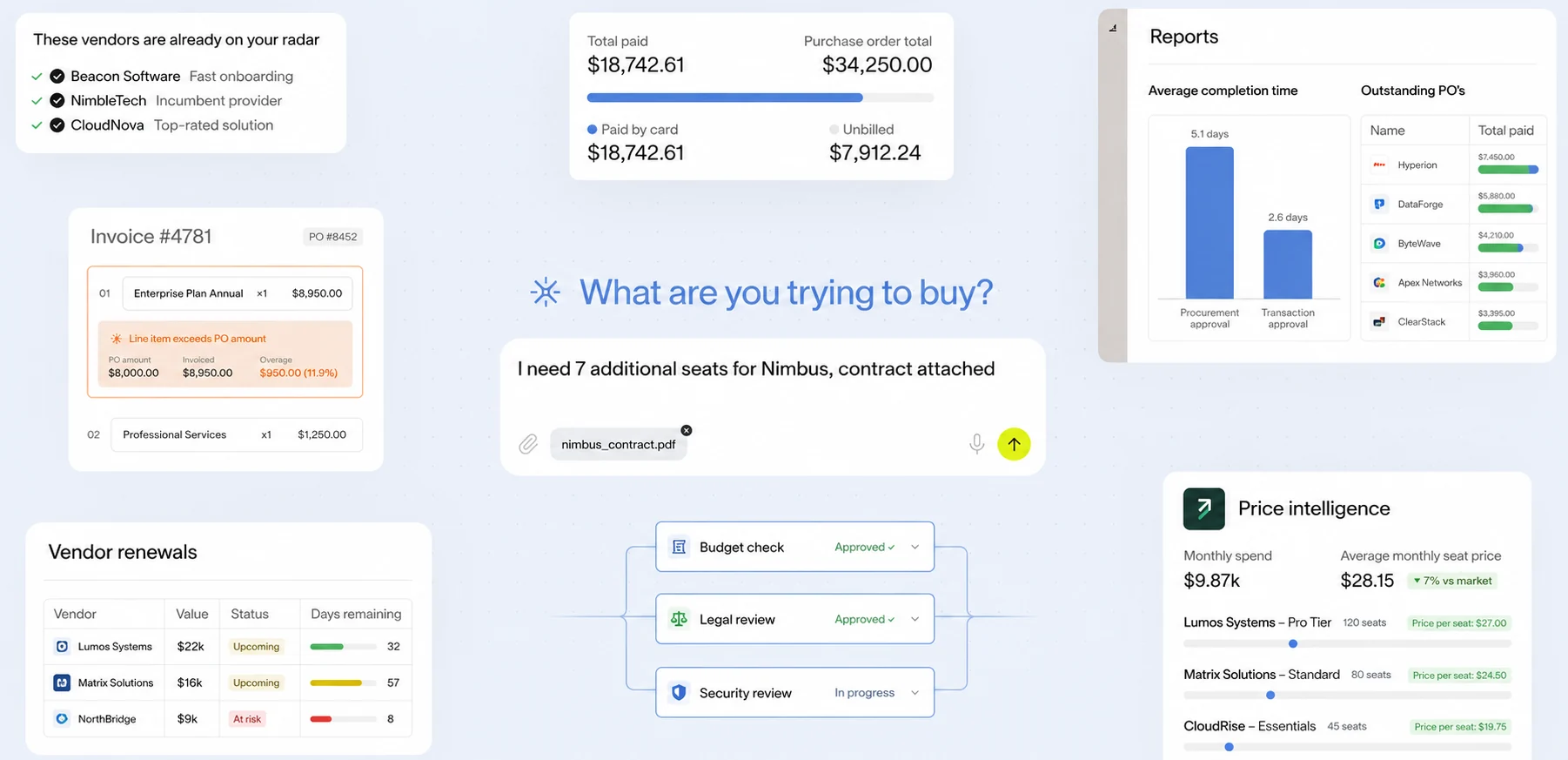
Because these controls are tied directly to payment methods, unauthorized purchases before money leaves the company are preventable.
Ramp provides finance, accounting, and expense infrastructure (such as corporate cards, expense management, bill payments) with integrations and market adoption.
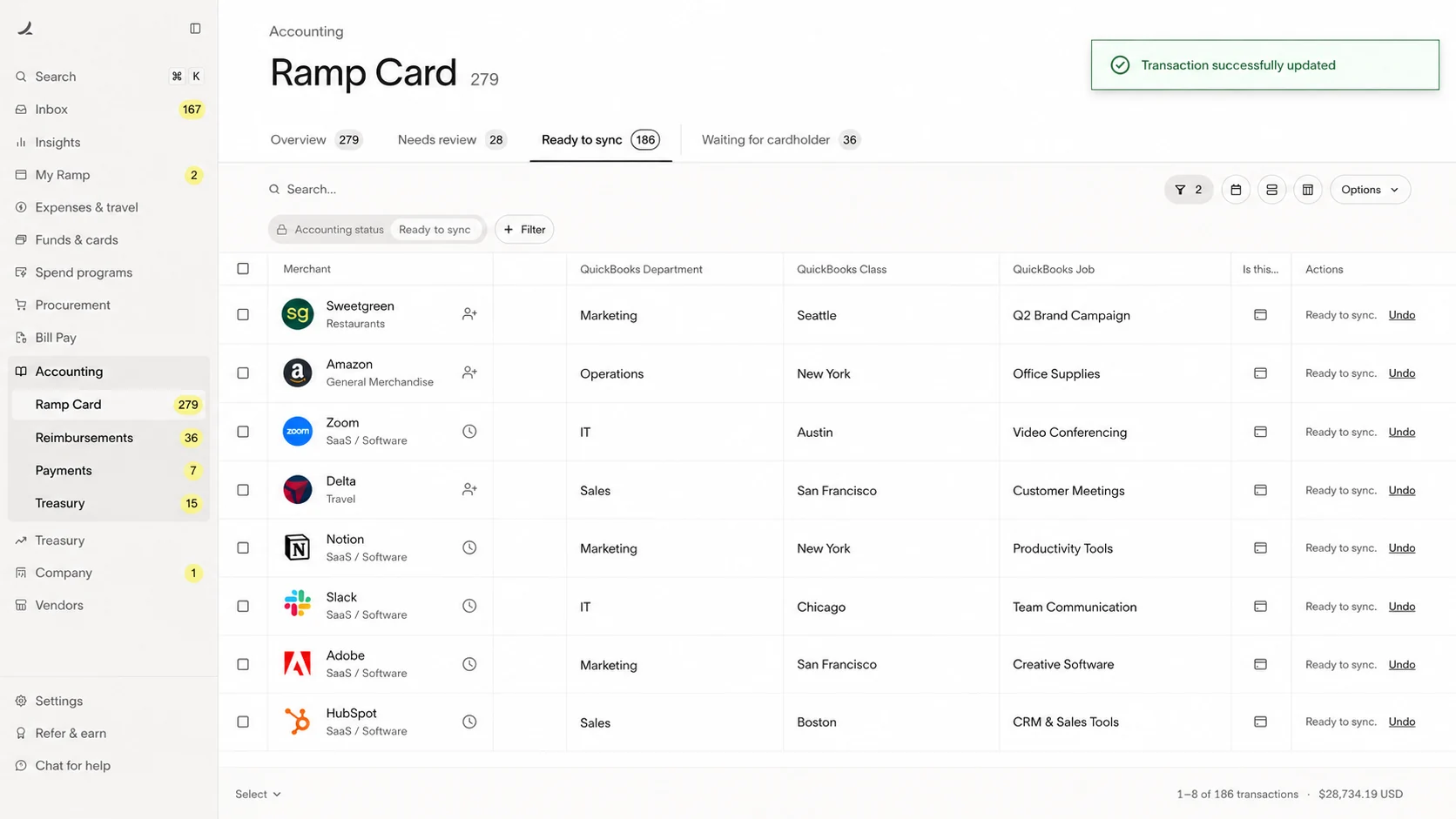
Your enterprise should still distinguish Ramp's established financial products from its newer SaaS license-intelligence features (e.g., usage insights and cost-per-user analysis), which have less implementation history.
Ramp has extensive independent reviews supporting its usability, financial visibility, and automation.
Most reviews cover cards, expenses, and payments rather than software-usage intelligence, so there is less independent evidence showing how well its newer license features perform at scale.
Coupa identifies software represented in your contracts, purchase orders, invoices, and approved supplier records.
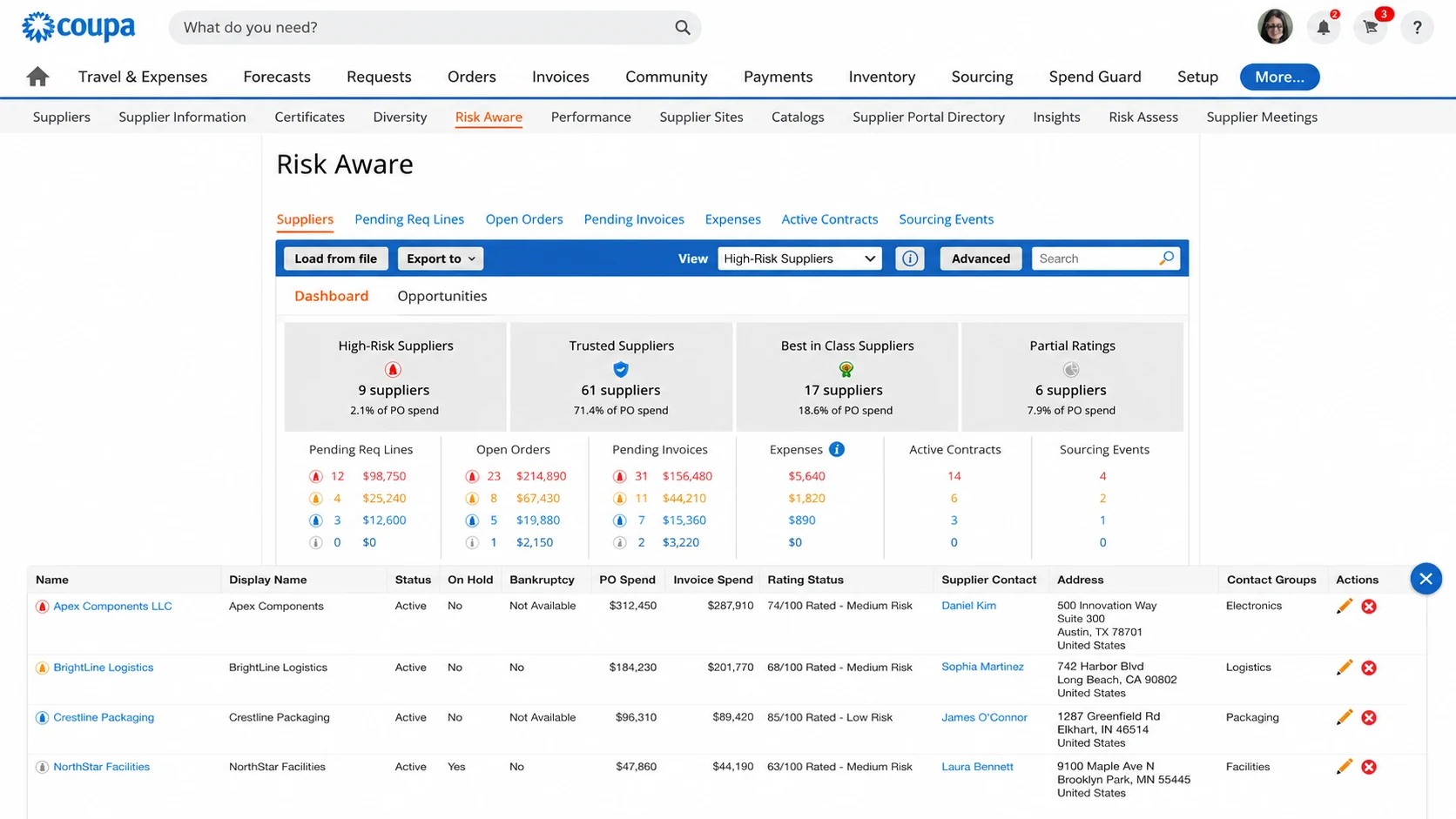
Informal employee or departmental purchases remain hidden generally until an expense, invoice or supplier record reaches Coupa.
Coupa does not directly measure browser activity, application sessions, employee engagement, or meaningful use.
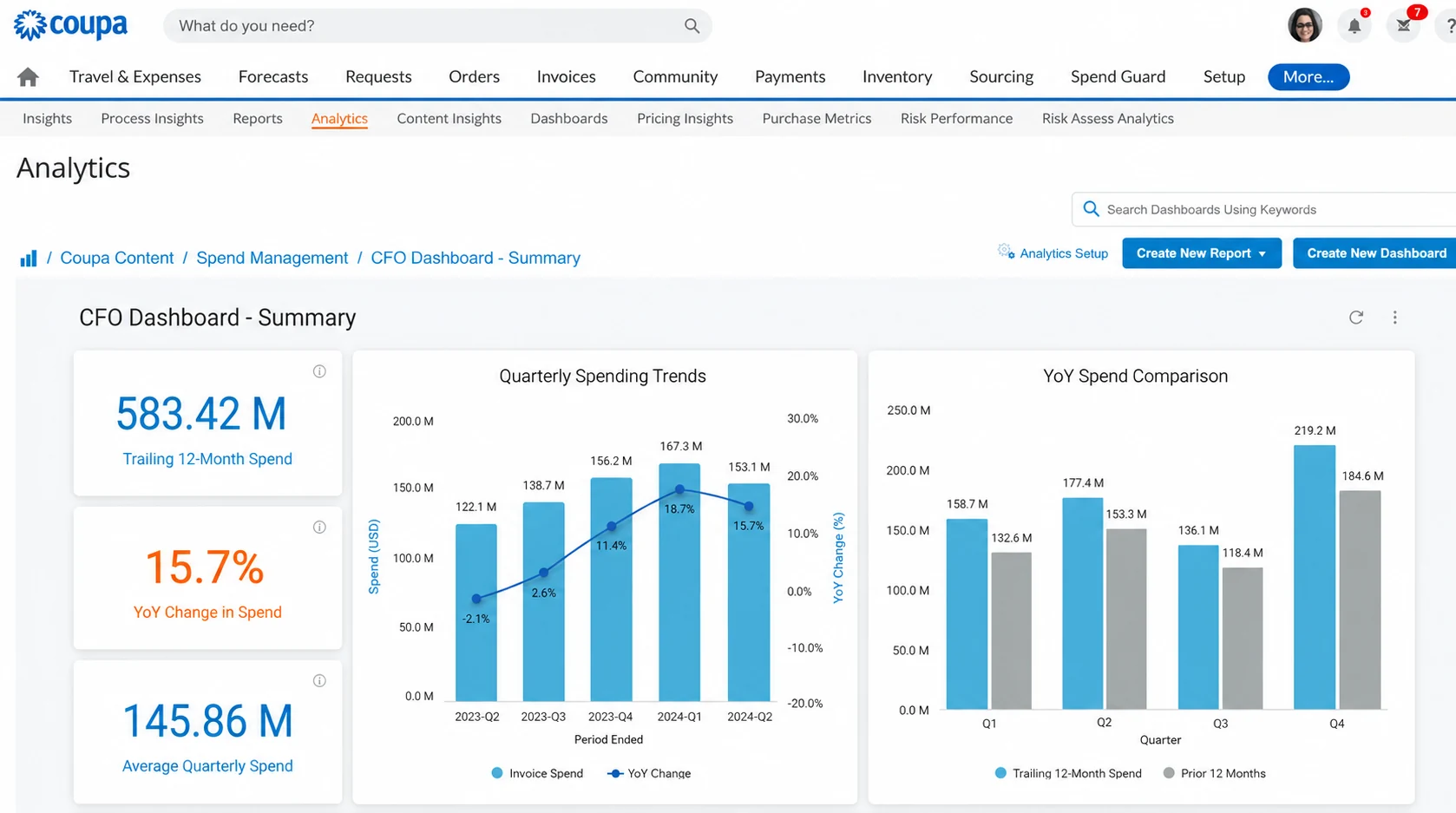
Your procurement team may know that the company purchased 500 licenses, but it will usually need data from another platform to determine how many employees use them.
Coupa connects your contracts, negotiated prices, invoices, and supplier records, giving your enterprise a record of what it agreed to purchase and what it paid.
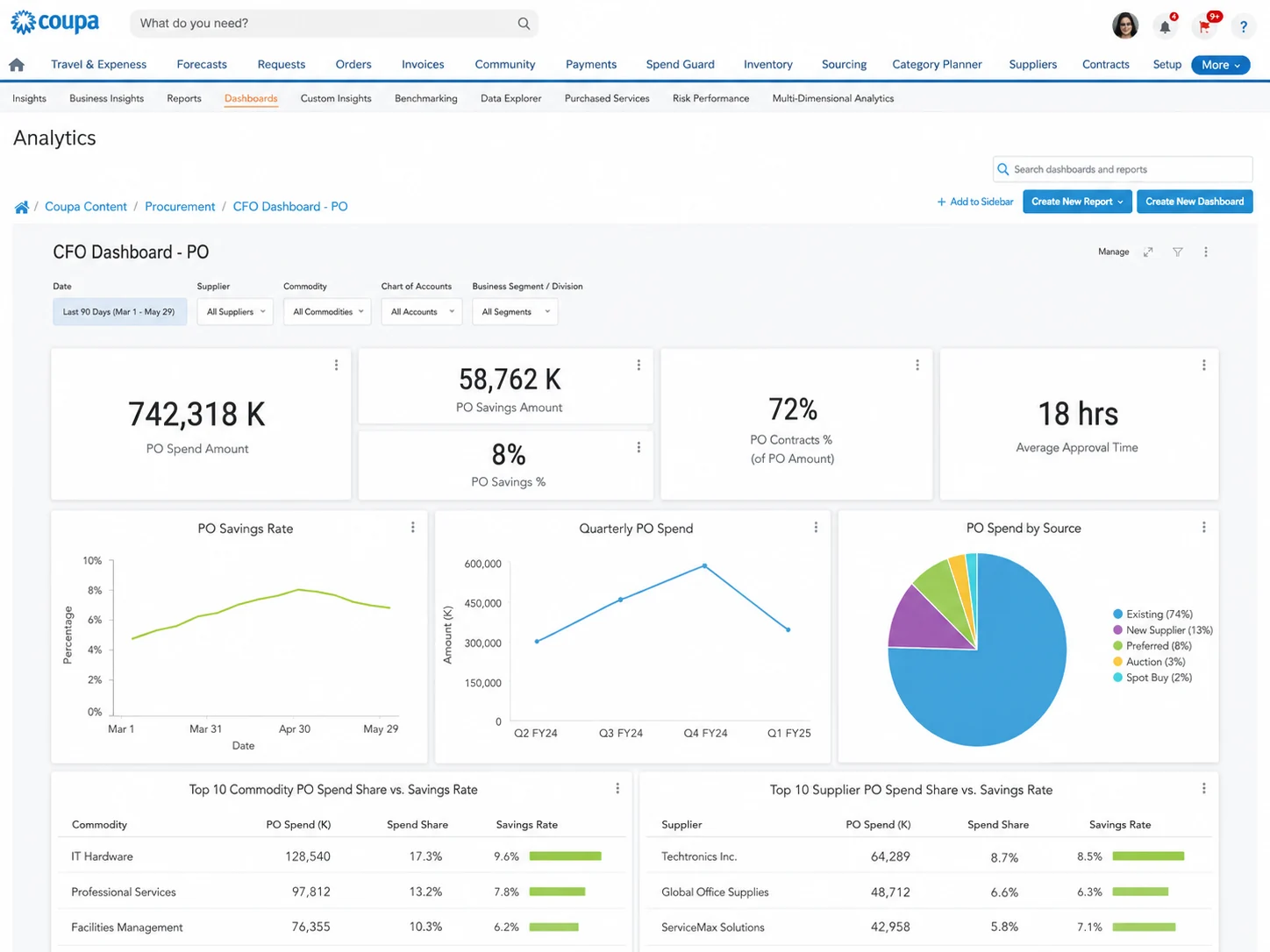
Yet, it cannot independently prove employee adoption. Your usage data will normally need to come from an ITAM, identity or activity-monitoring platform.
Coupa aids in reducing enterprise spending via controlling renewals, consolidating suppliers, enforcing negotiated prices, and improving purchasing terms.
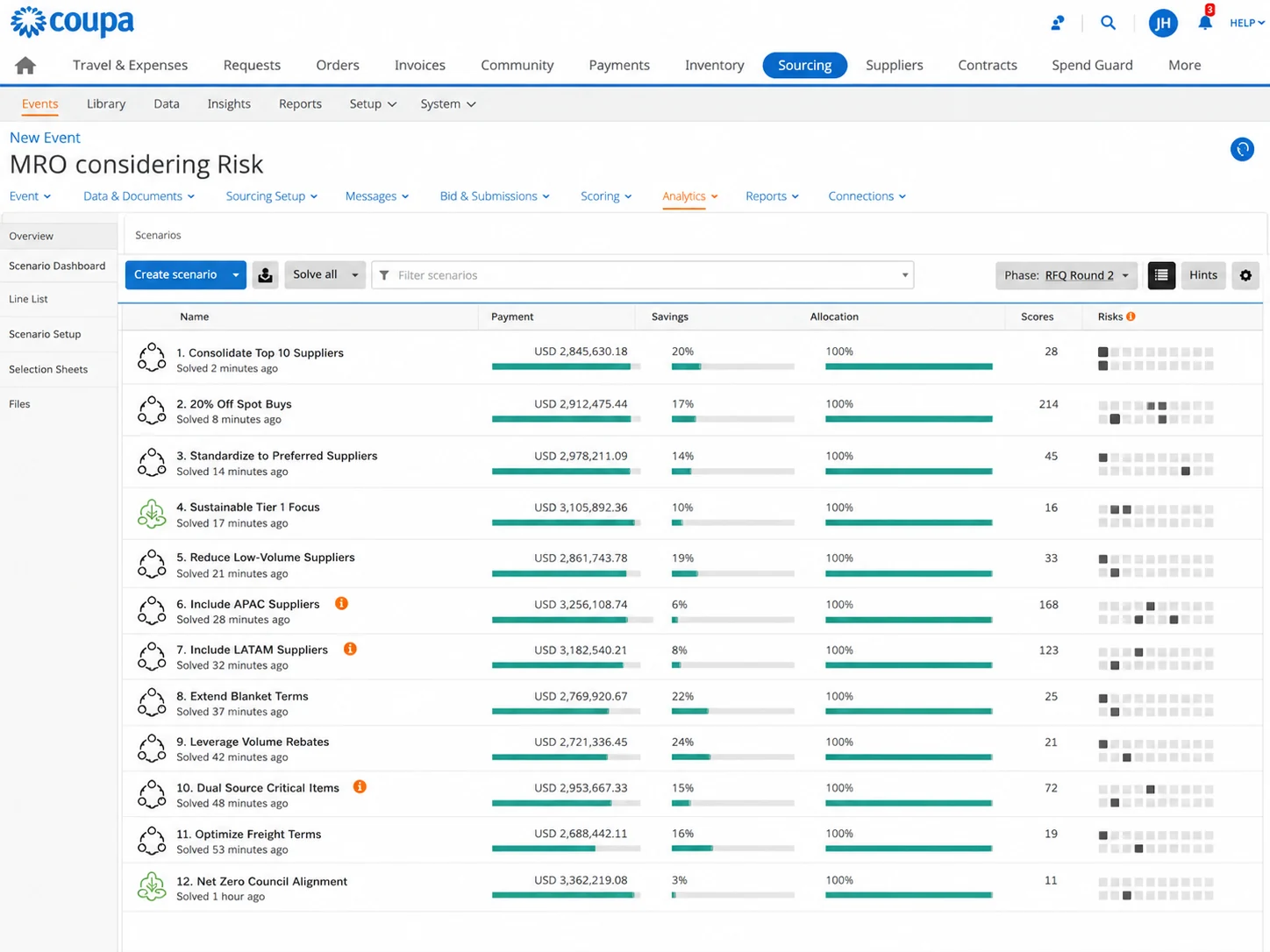
Its optimization is commercial rather than technical. It does not reclaim an individual employee's license based on activity data.
You can use Coupa to manage any provider as a supplier and track its contract, invoices, and approvals.
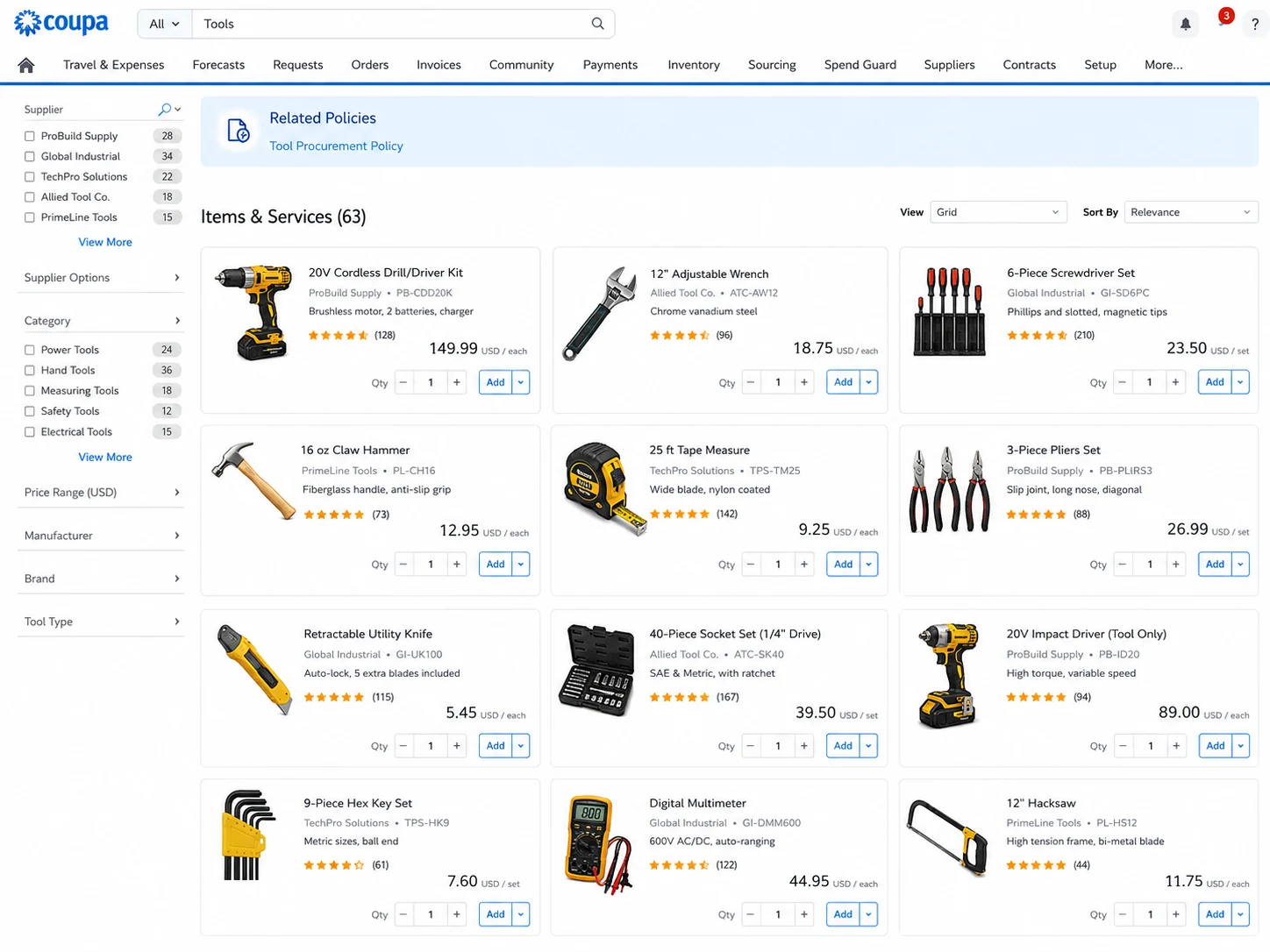
Though it does not show your AI consumption by model, employee, team, token volume or API key, as evident above.
Coupa provides mature sourcing, supplier management, contract, purchasing, approval, and invoicing workflows.
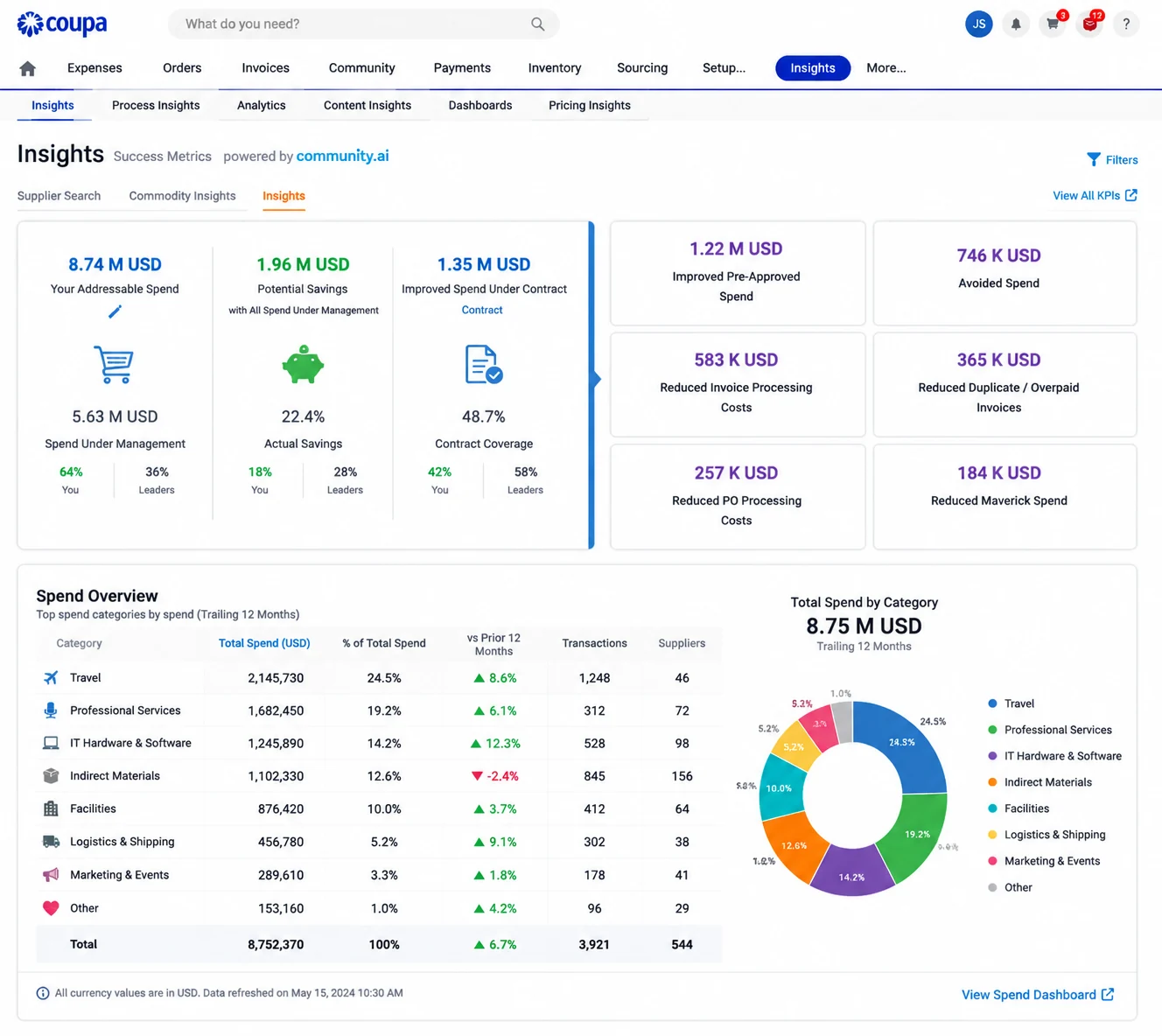
This is relevant when your enterprise operates across multiple regions or business units and needs employees to purchase from approved suppliers under negotiated terms.
Coupa is designed for global procurement environments and supports major integration, compliance, and security requirements.
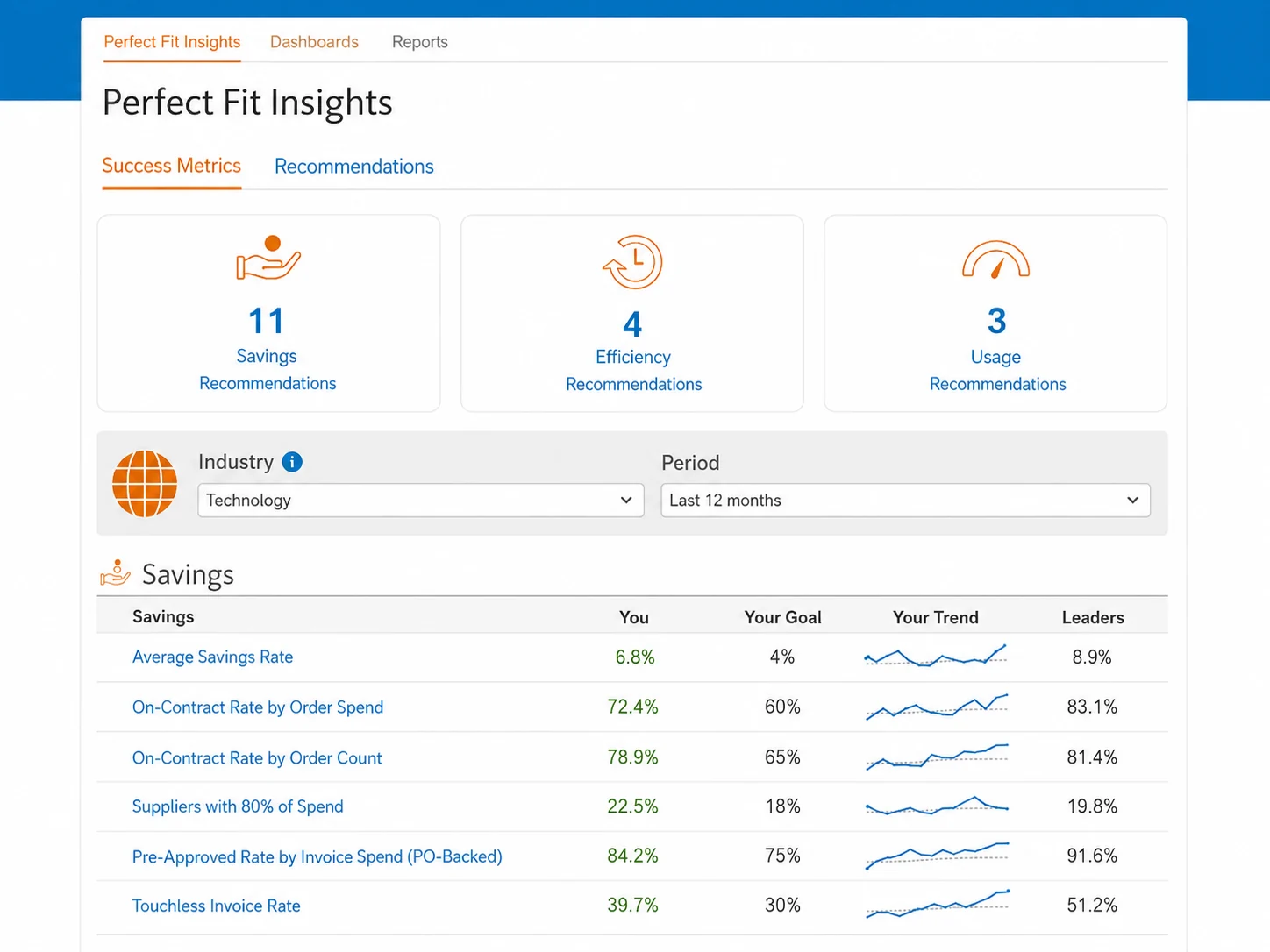
Its main challenge for your enterprise is implementation effort, including configuration, process design, data preparation, and administrator training.
Coupa has extensive enterprise documentation and independent reviews validating its procurement, approval, and supplier-management capabilities.
Reviews also identify complexity and learning requirements, but its purpose and category position are well established.
Zylo discovers SaaS applications through integrations with systems such as SSO, expense platforms, finance tools, and application APIs.
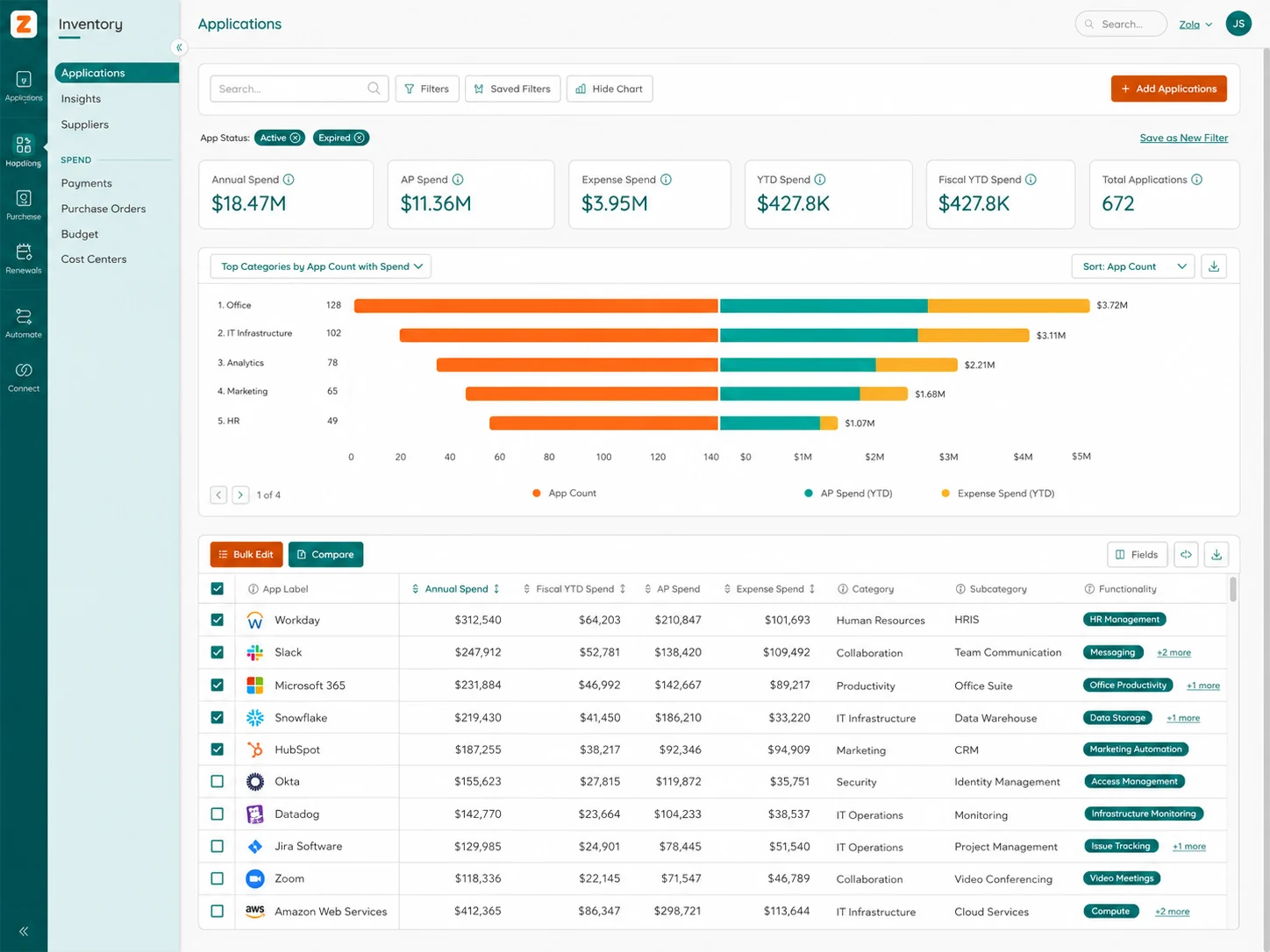
Discovery still depends on connected systems and available integrations. Purchases made outside connected financial or identity systems may require additional processes to identify.
Zylo provides application usage insights by connecting with SaaS vendors, identity providers, and usage data sources.
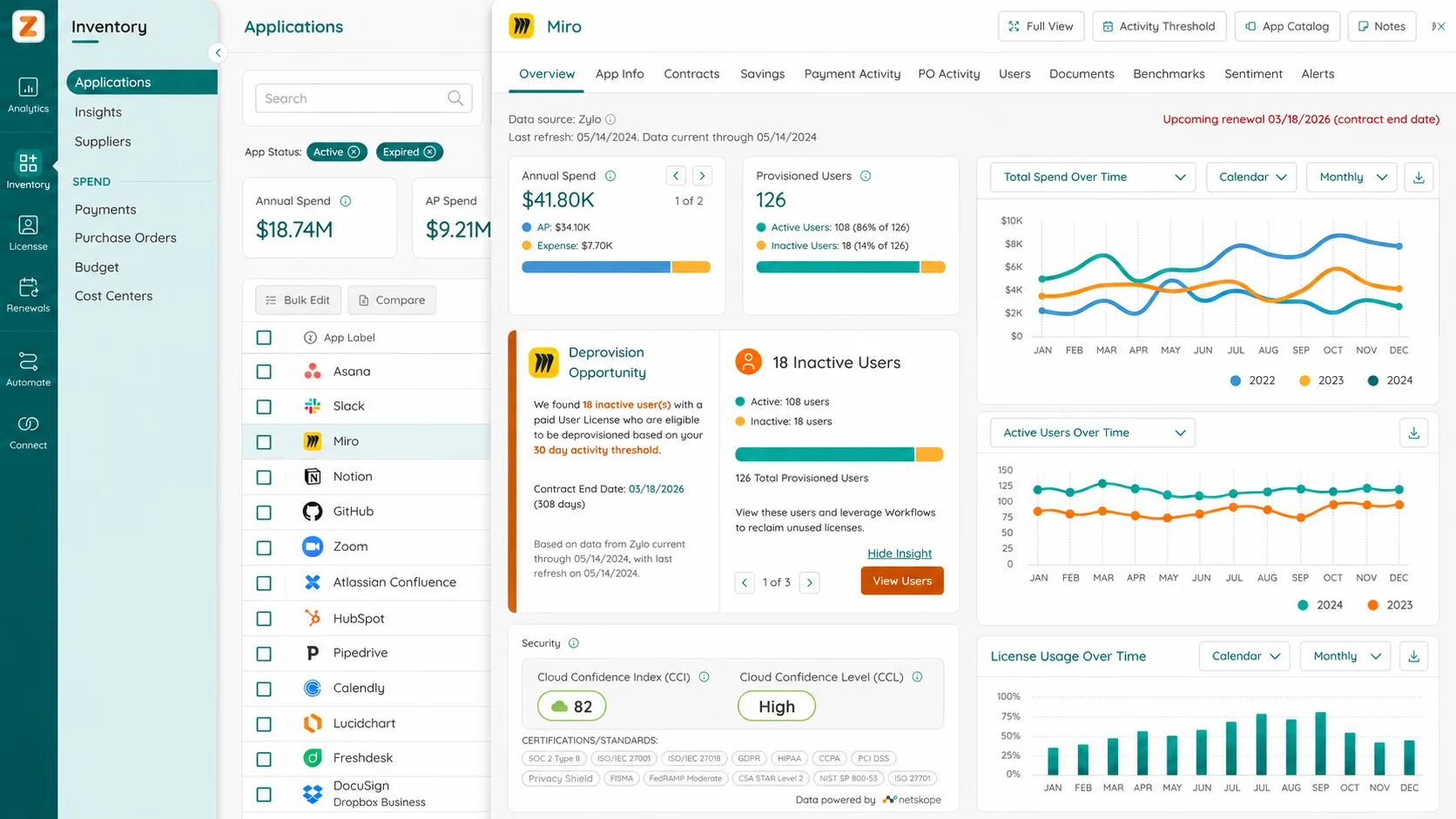
However, usage depth varies by application integration. Some tools may provide detailed activity data, while others may only expose login or access information.
Zylo connects SaaS spend, contracts, users, and usage data to help enterprises understand whether purchased licenses are delivering value.
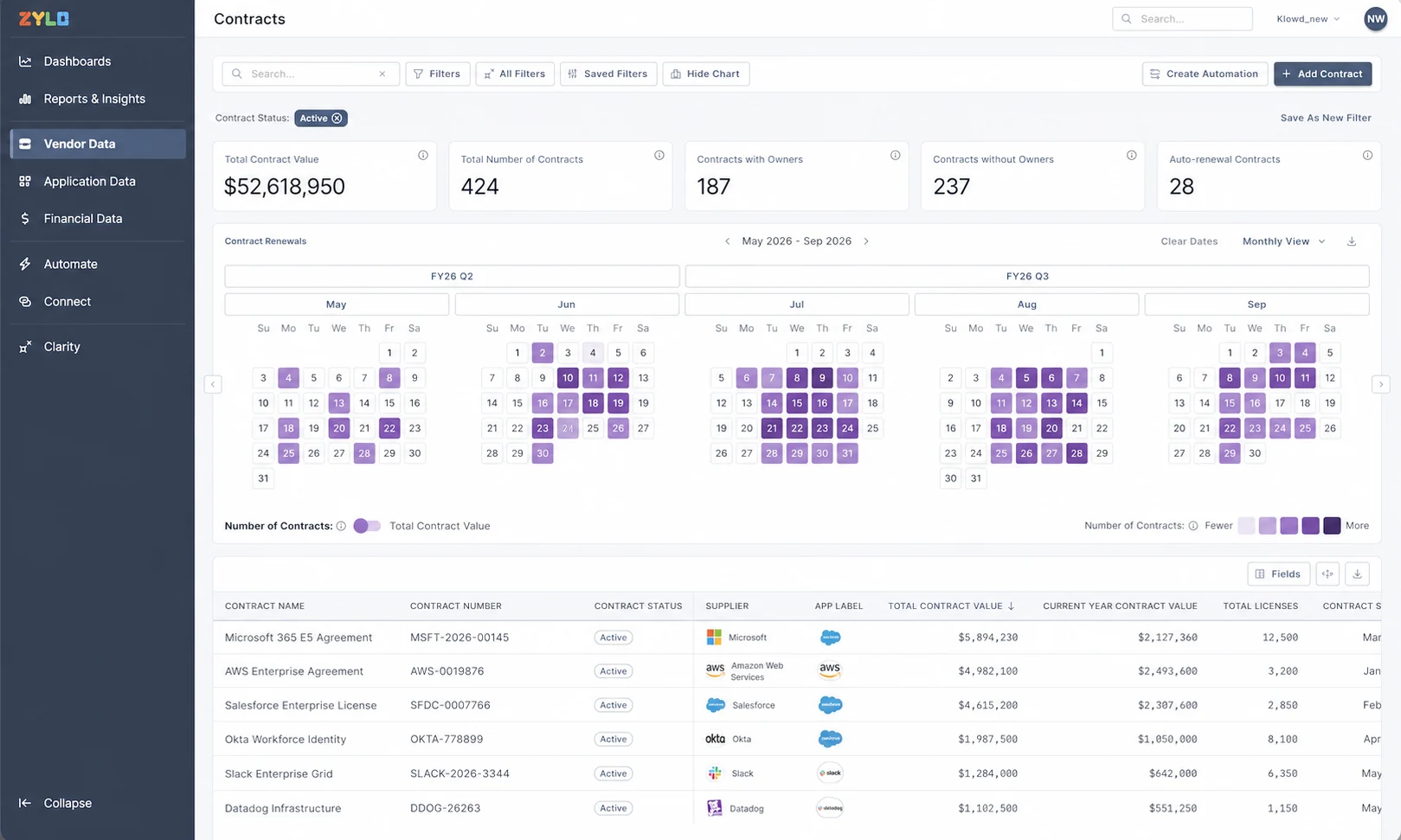
Its ability to discover unknown purchases before they enter your enterprise systems depends on available integrations (e.g., Coupa and NetSuite) and financial data sources (i.e., ERP and expense systems).
Zylo provides workflows for identifying unused licenses, reclaiming seats, managing renewals, and improving SaaS utilization.
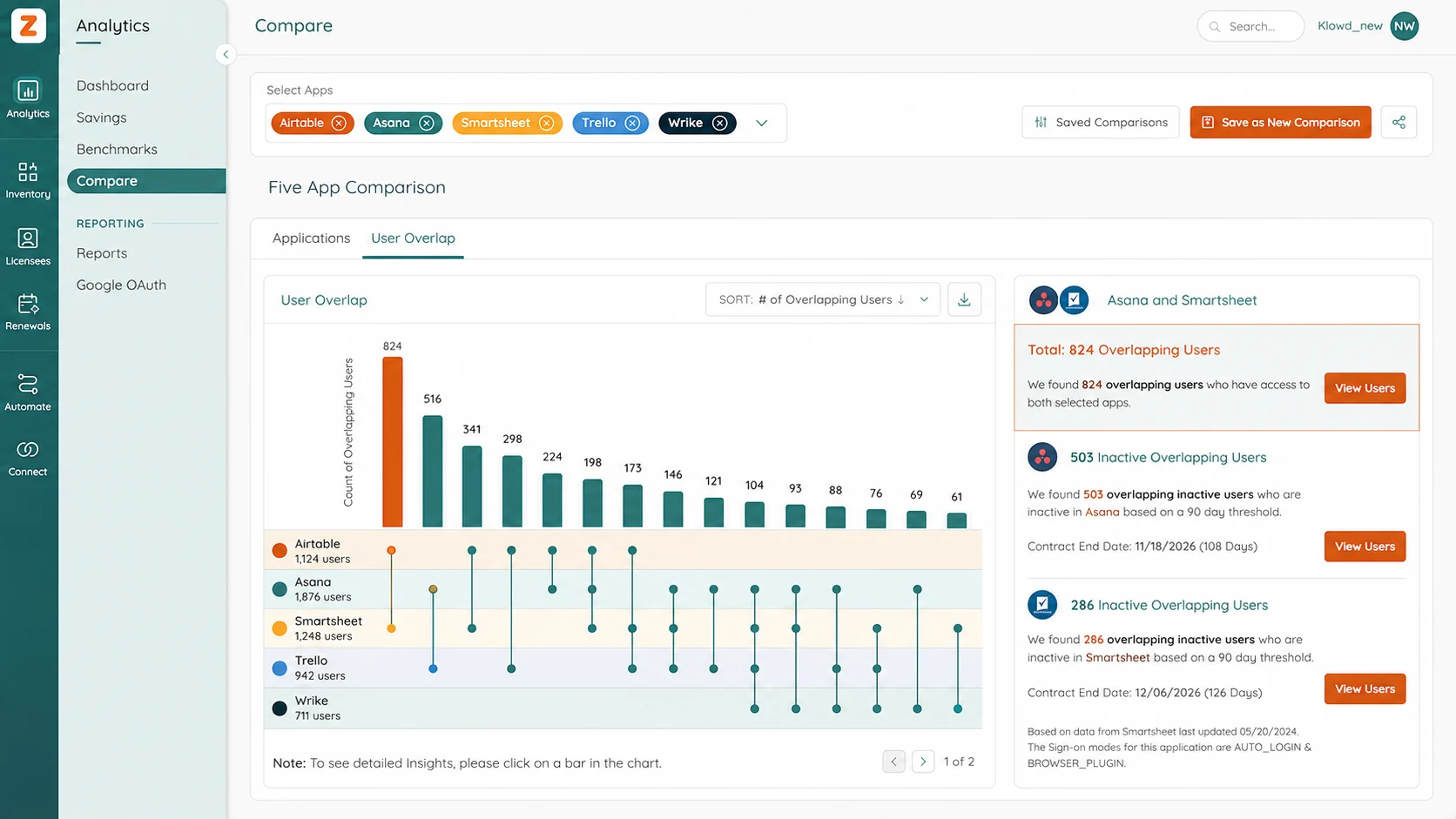
Automated removal depends predominantly on vendor integrations and application-specific capabilities.
Zylo can help organizations manage AI applications as part of their broader SaaS portfolio and identify AI tools being adopted across teams.
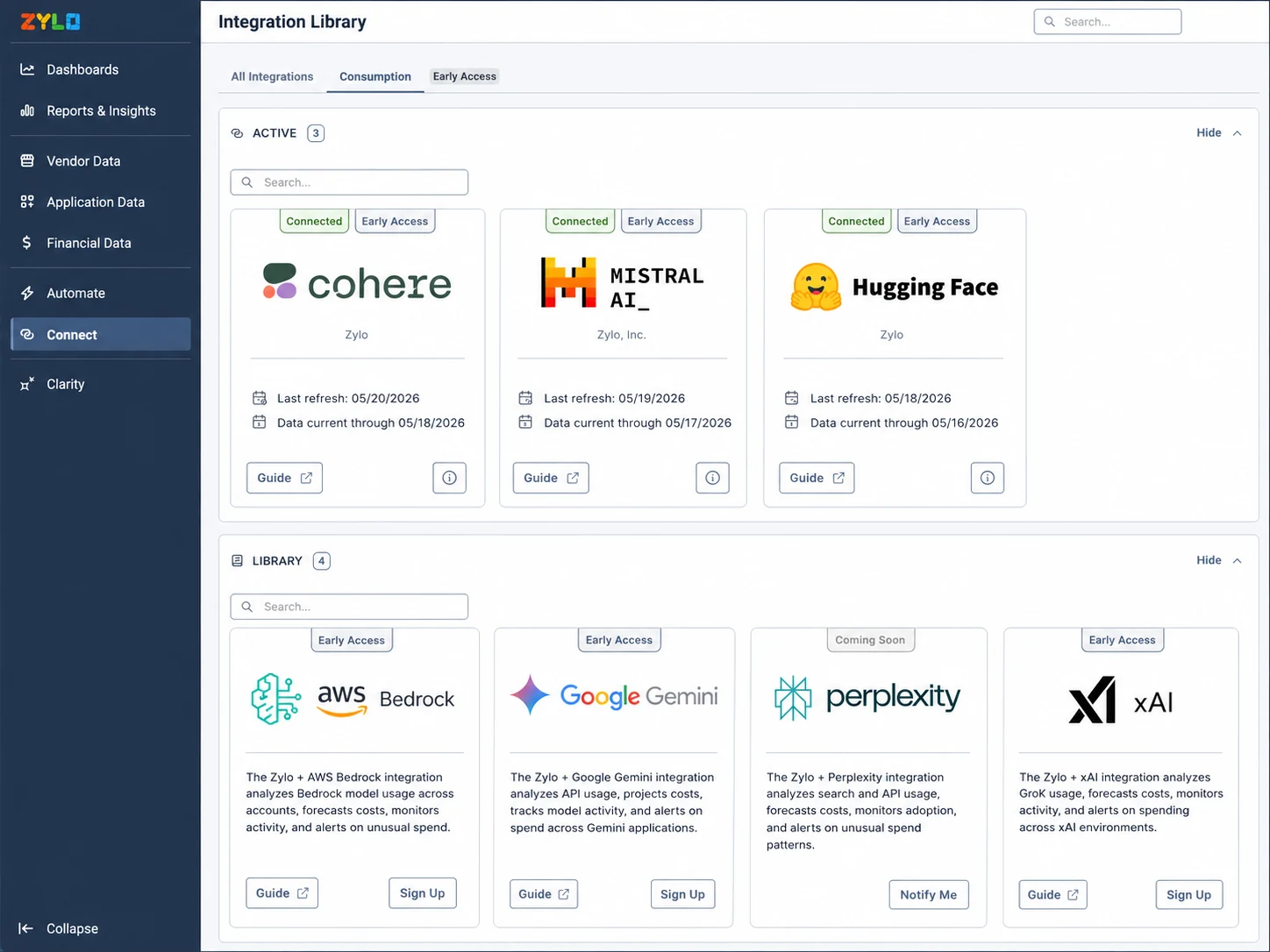
However, it is not primarily focused on detailed AI consumption analysis (e.g., token usage, model-level costs, or API spending).
Zylo supports SaaS governance through application ownership, renewal tracking, contract visibility, approval workflows, and license management.
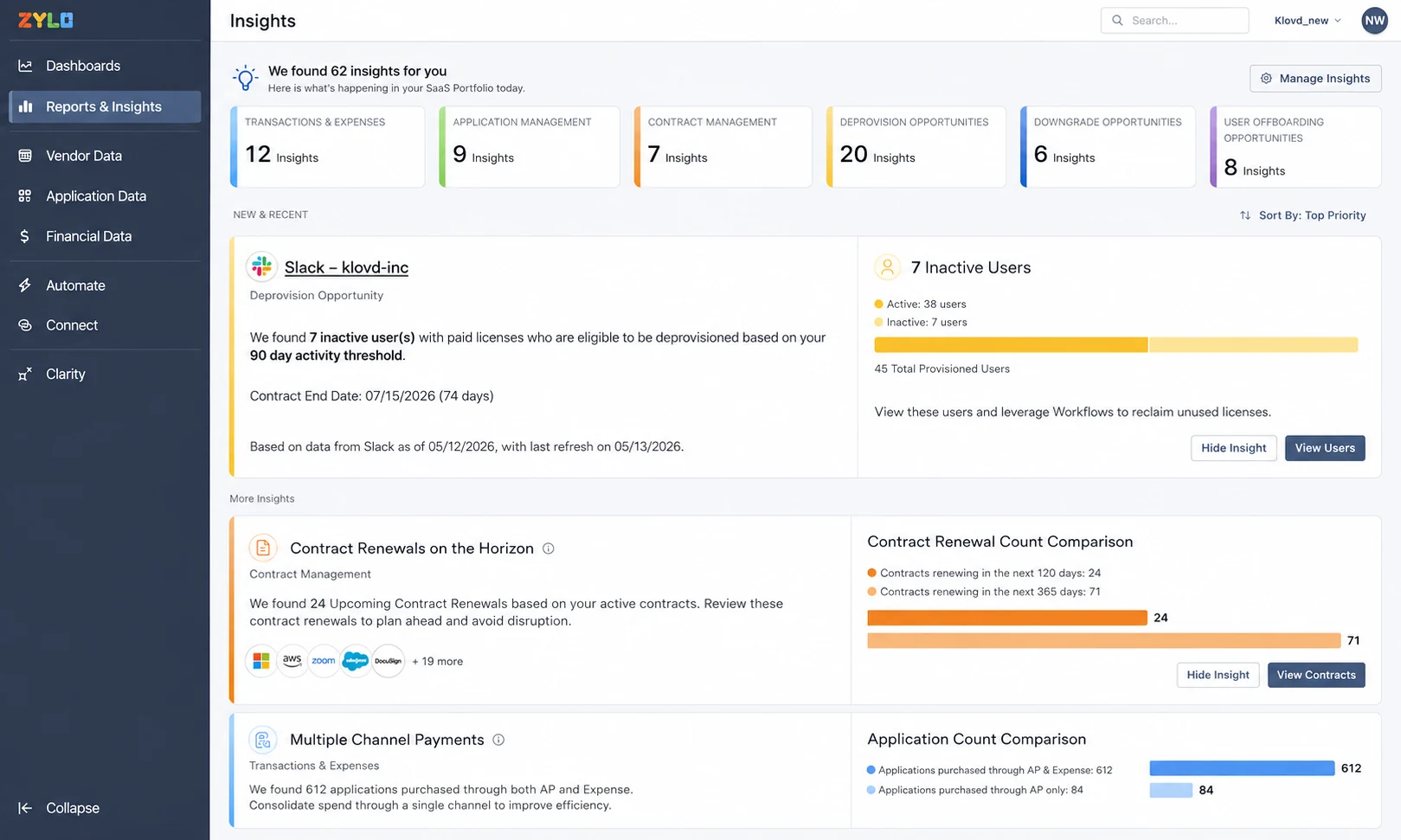
Broader procurement capabilities are typically handled through dedicated procurement platforms (i.e., Coupa).
Zylo is designed specifically for enterprise SaaS management, offering integrations, security controls, and workflows built around large software environments.
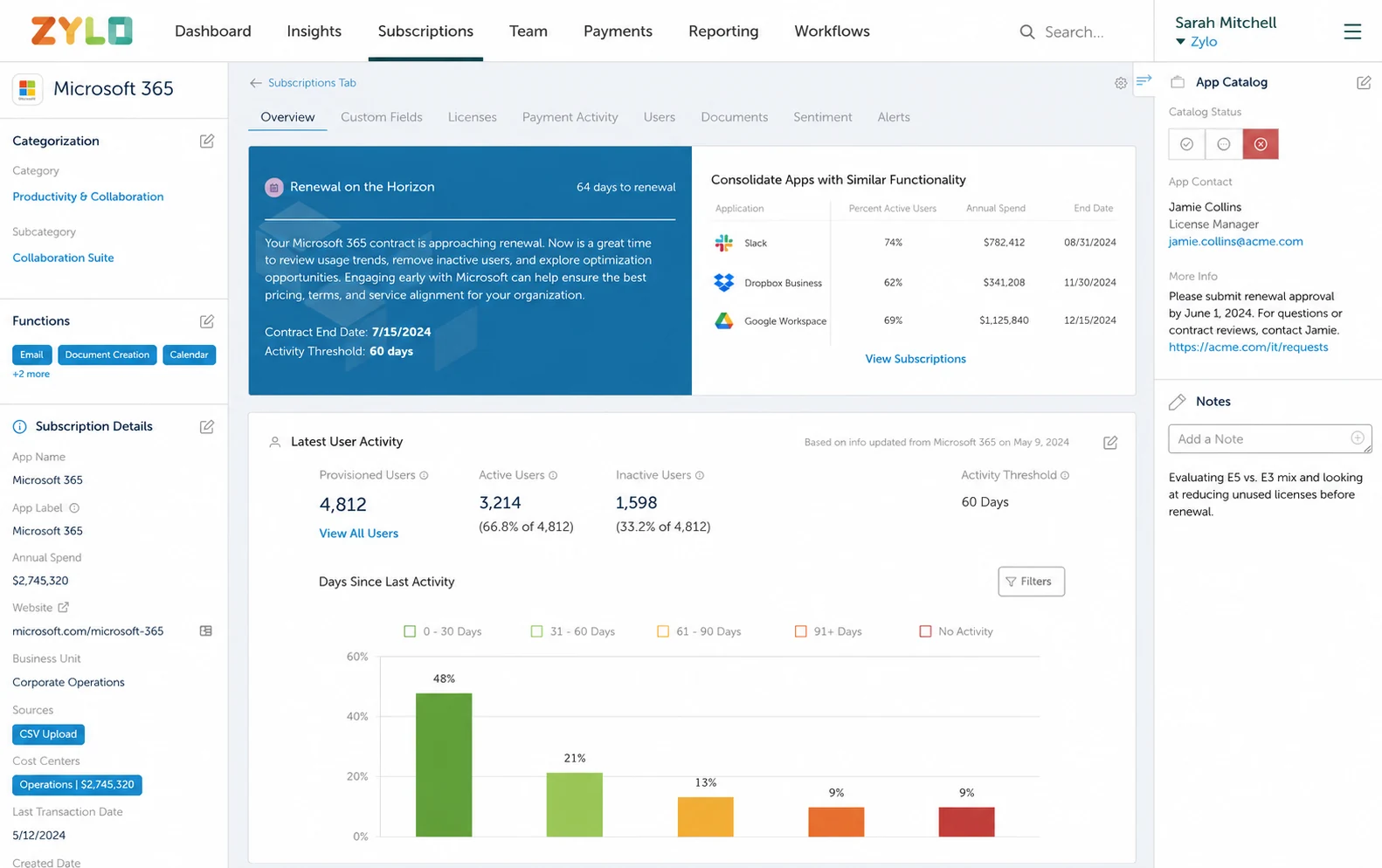
The main consideration is implementation effort: successful outcomes depend on accurate data, strong application ownership, and maintaining integrations over time.
Zylo has enterprise customers, analyst recognition, and independent reviews.
Though, some users find it less embedded in employees' daily workflows.
Enterprise software is becoming harder to manage as companies use hundreds of apps, employee purchases, and unmanaged licenses. Most platforms focus on solving one part of the problem — SaaS management for usage visibility, ITAM for governance, spend management for financial controls, or procurement for purchasing workflows. Nicklpass takes a broader approach; still, the right choice depends on whether your main challenge is understanding usage, controlling spend, managing IT assets, or improving procurement.
Nicklpass brings your AI tools, usage, spend, and licenses into one place, so you know what to prioritize first.
