The biggest difference between a SaaS management platform and a spreadsheet is that one records what you know, while the other helps reveal what you are missing.
Before you read any further, try this: without opening your spreadsheet, name every application your company paid for last month. Now name who actually used each one. Finally, tell us which contracts renew in the next 90 days.
If you can't answer all three, it's time to replace your spreadsheet.
Let's look at where spreadsheets start to struggle at SaaS management, and what a SaaS management platform like Nicklpass can do for you instead.
Creating one place for everything you know is one job spreadsheets do best. For smaller companies, it consolidates information scattered across procurement records, card statements and contracts, and individual employees' memories.
Even a blank cell creates information — if nobody knows who owns a $20,000 application, something worth investigating becomes known.
The weakness of a spreadsheet, however, lies in how applications get into it in the first place. A department can buy software on a card. An employee can sign up using their work email. A free product can become a paid subscription. None of those events automatically creates a new spreadsheet row.
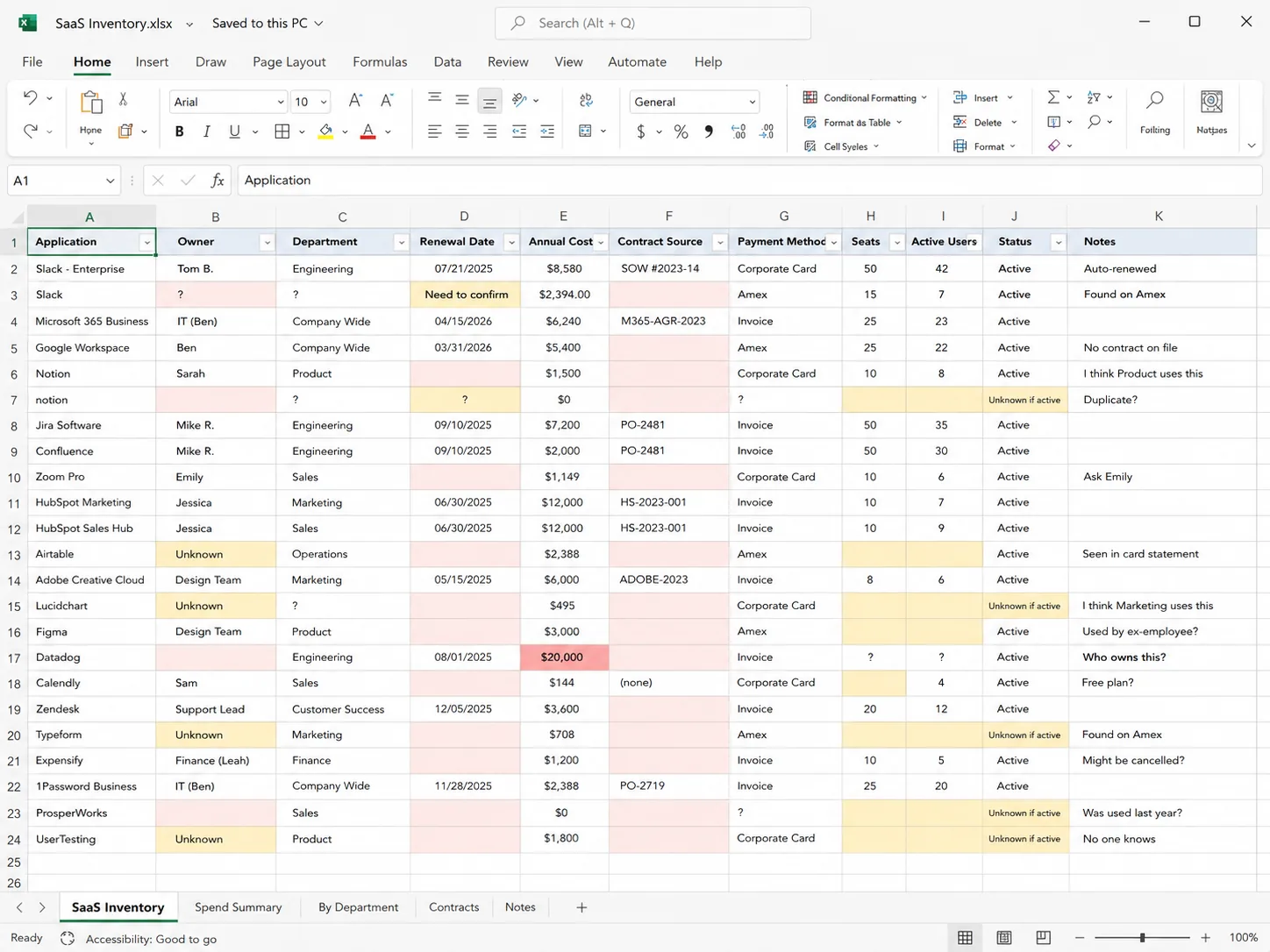
That is the first major difference between a spreadsheet and a SaaS management platform. A spreadsheet can create an inventory of known software, but it's a platform that helps discover the software the company doesn't yet know it needs to add.
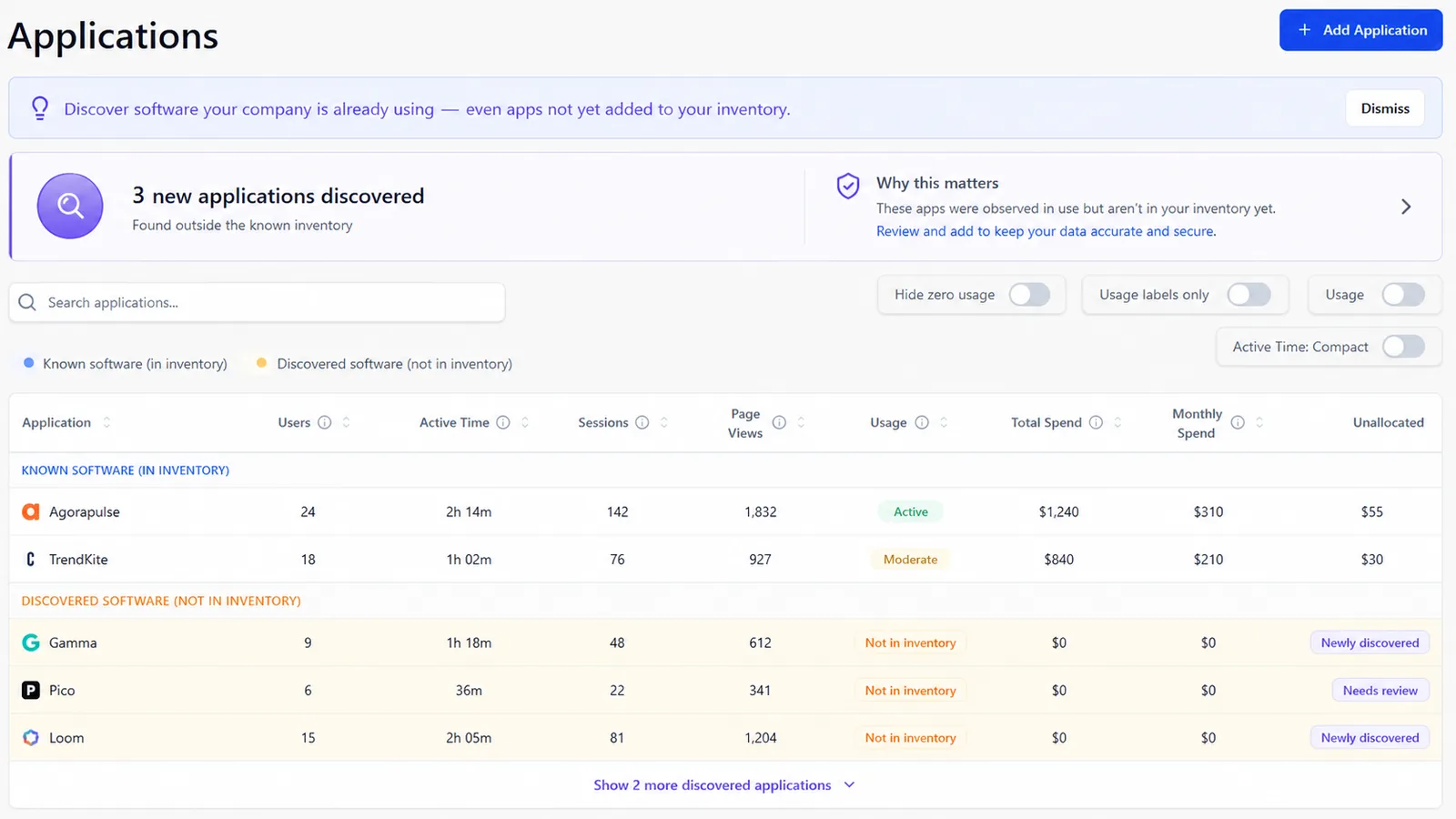
Once the inventory exists, finance usually asks the next question: how much is all of this costing us?
Starting small, you add monthly cost, annual contract value, price per seat, cost center, billing frequency, payment method, and budget owner to a spreadsheet. Add formulas to annualize monthly subscriptions and total spend by department, and a basic SaaS spend management system is in effect.
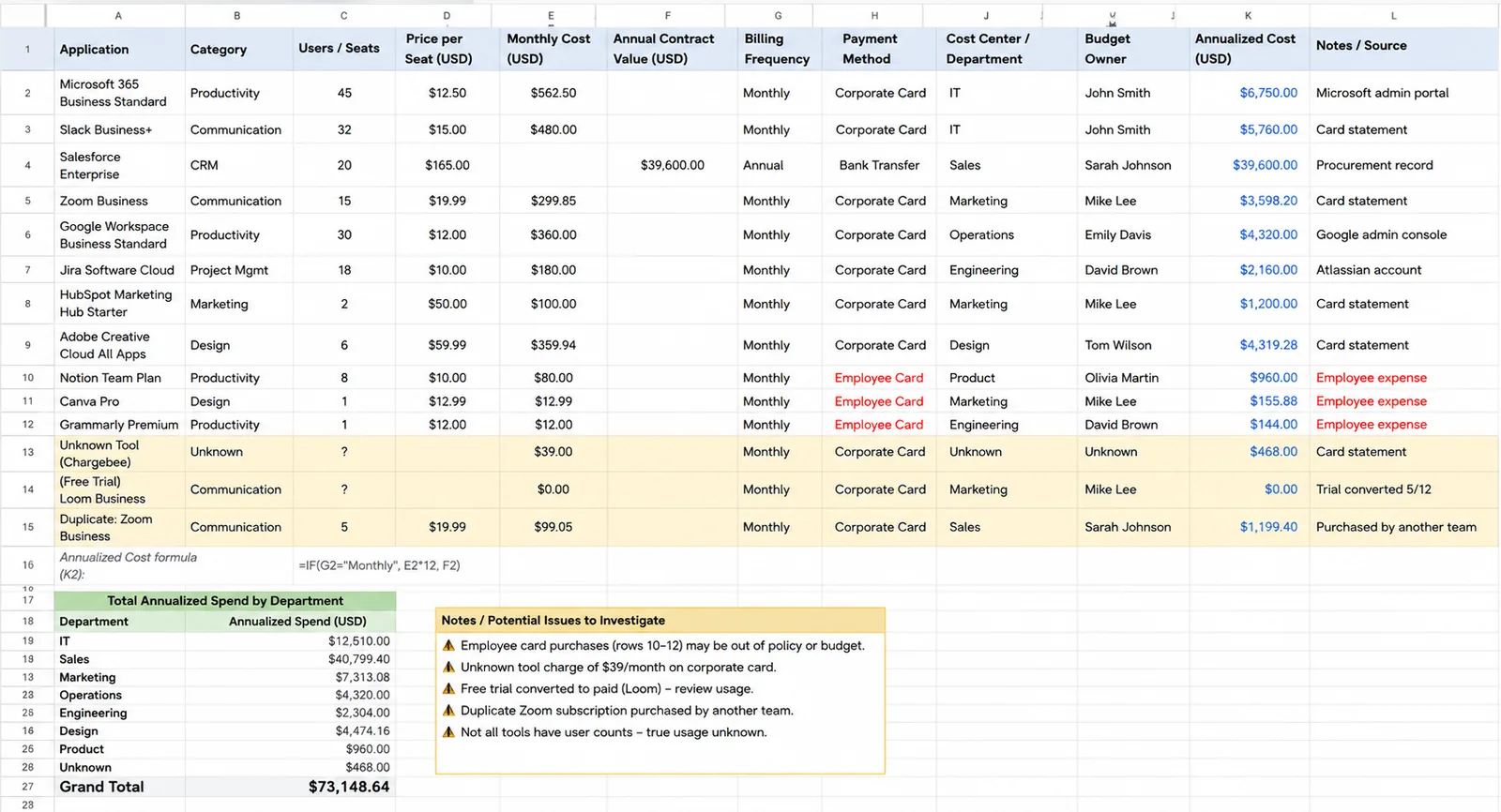
But even though the enterprise contract may be obvious, the $39 monthly subscription purchased by an employee isn't. Neither is the departmental tool on a separate corporate card, the free trial that converted automatically, or the duplicate subscription purchased by another team.
A spreadsheet can contain a Payment Method column. It cannot monitor every payment method.
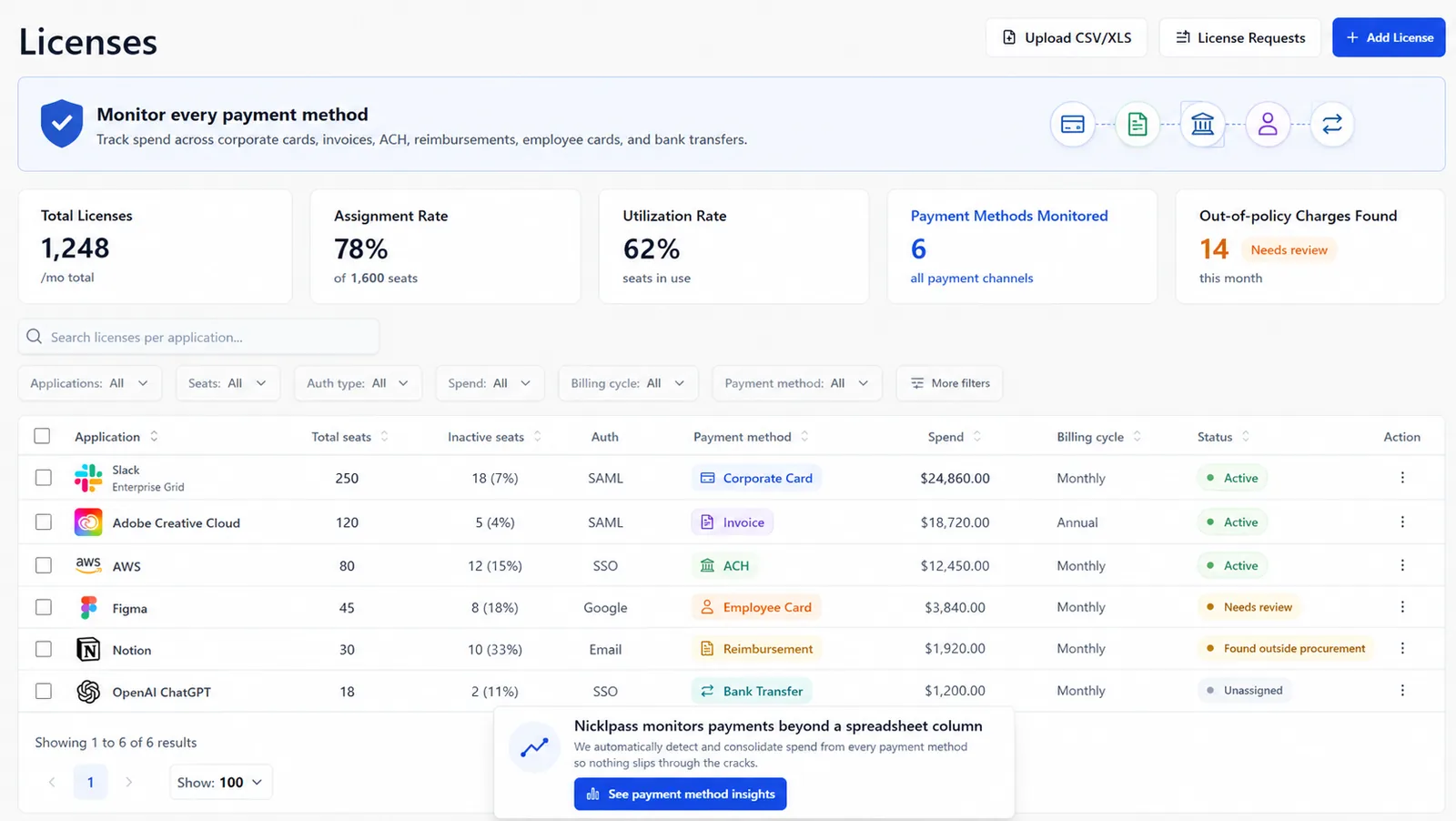
You can capture seats purchased, seats assigned, license type, plan, cost per seat, assigned employees, and renewal information in a spreadsheet. You can even identify obviously unassigned licenses and calculate their potential cost — even the theoretical savings from removing them.
But the harder question still remains: who actually needs the license the most.
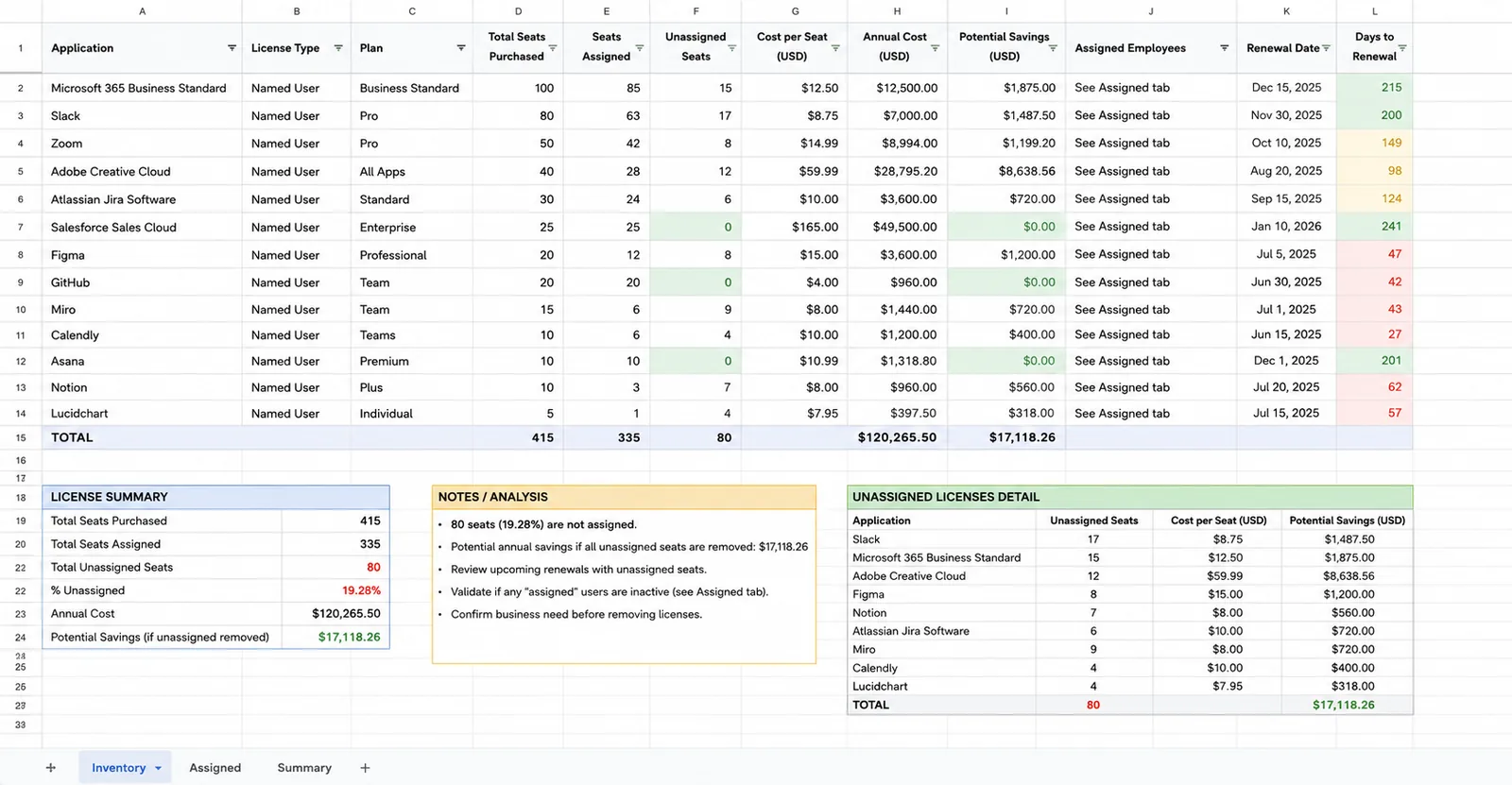
Suppose 87 of those 100 licenses are assigned. That looks efficient. But what if only 46 people have meaningfully used the product during the last 90 days? The spreadsheet cannot discover that by looking at its license column.
Someone has to retrieve usage data from the application, compare it with license assignments, determine whether inactivity is meaningful, and then update the sheet.
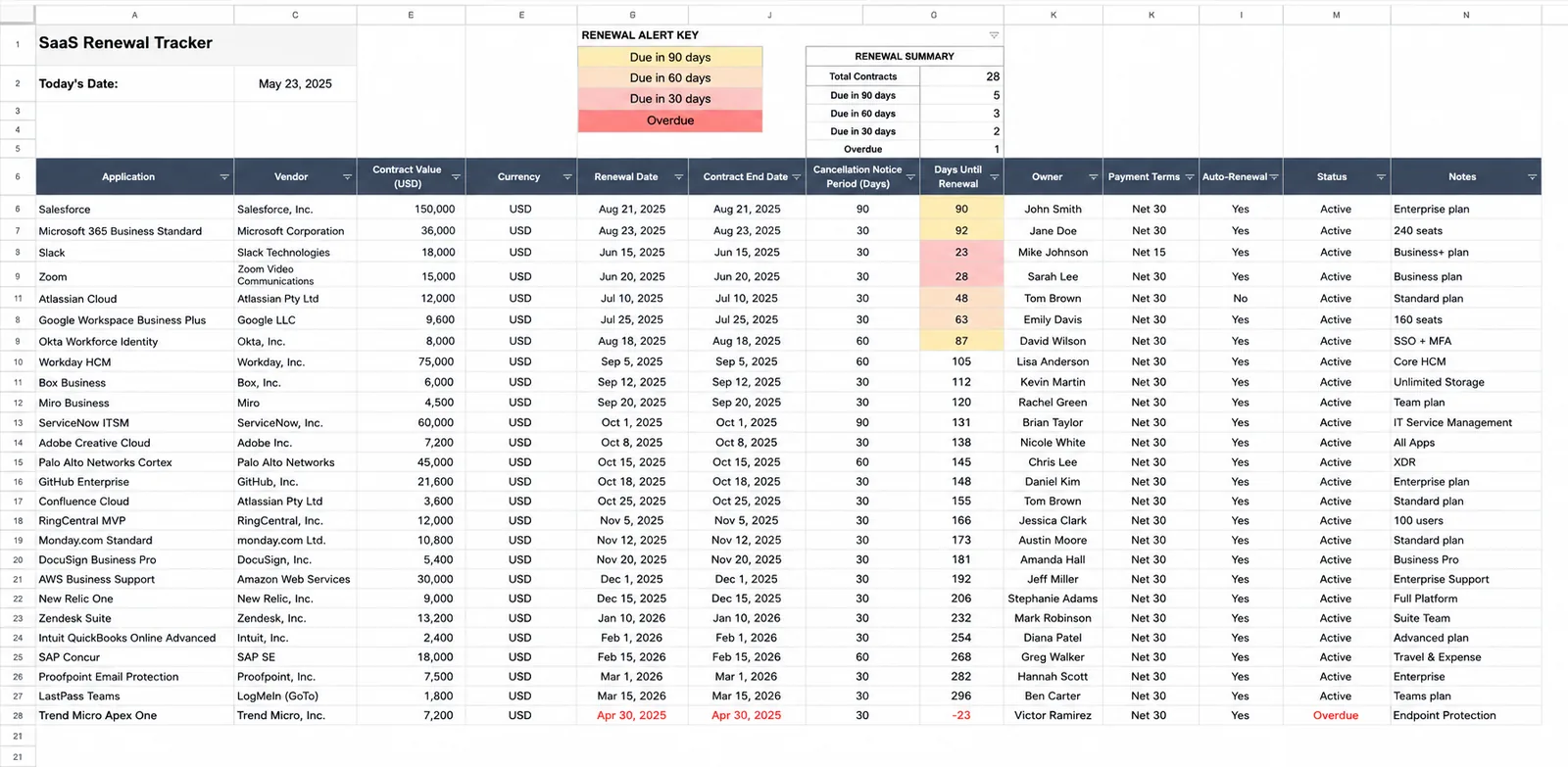
Renewal management may be the strongest argument for continuing to use a spreadsheet. Enter the renewal date, contract end date, vendor, contract value, owner, and cancellation notice period. Add conditional formatting so contracts change color 90, 60, and 30 days before renewal. For twenty or thirty contracts, this might work well.
The difficulty begins when October arrives and somebody asks whether Salesforce should actually renew.
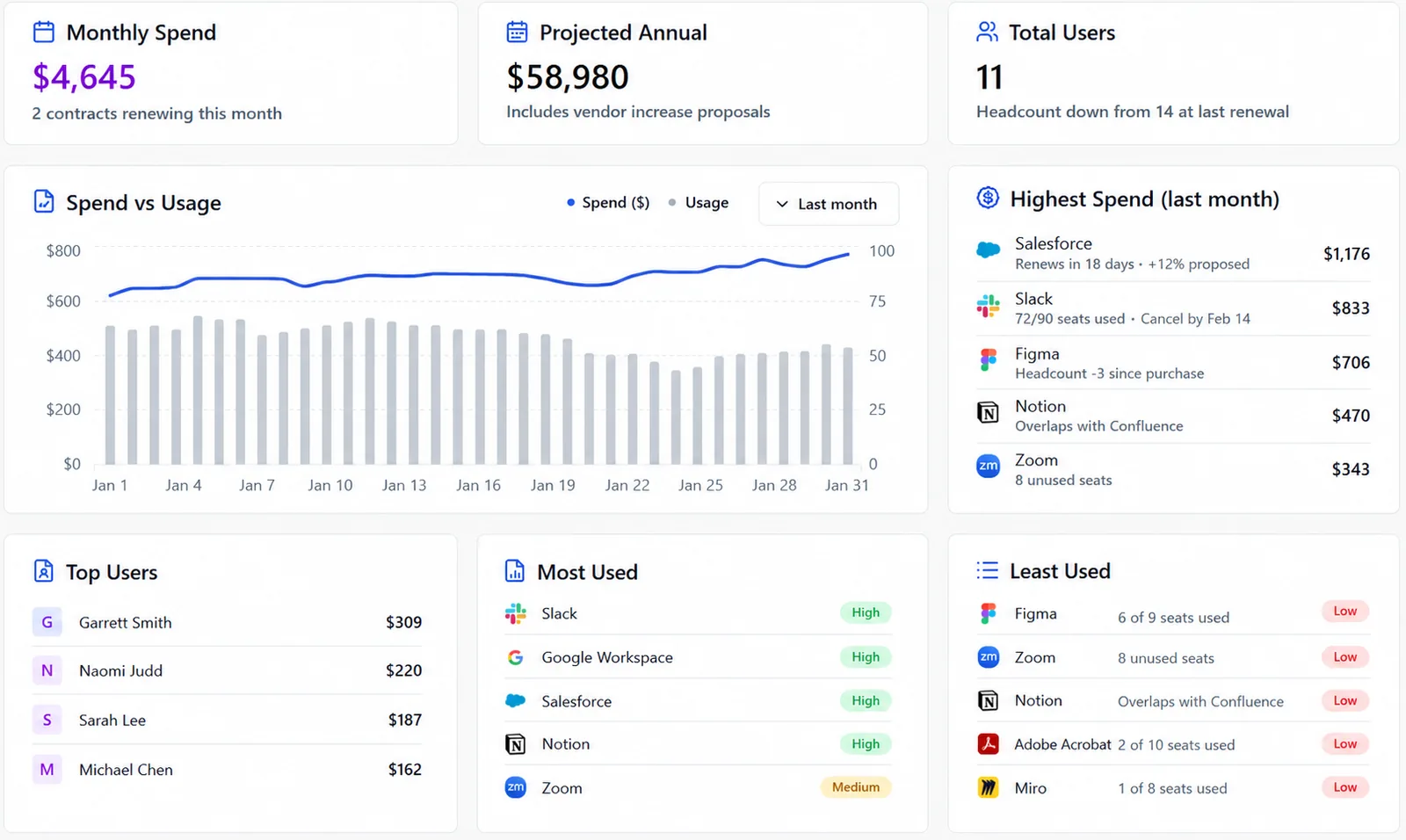
How many licenses are being used? Has headcount changed? Are there unused seats? What price increase is the vendor proposing? Does another application duplicate some functionality? When does the cancellation window actually close? Who has authority to approve the renewal?
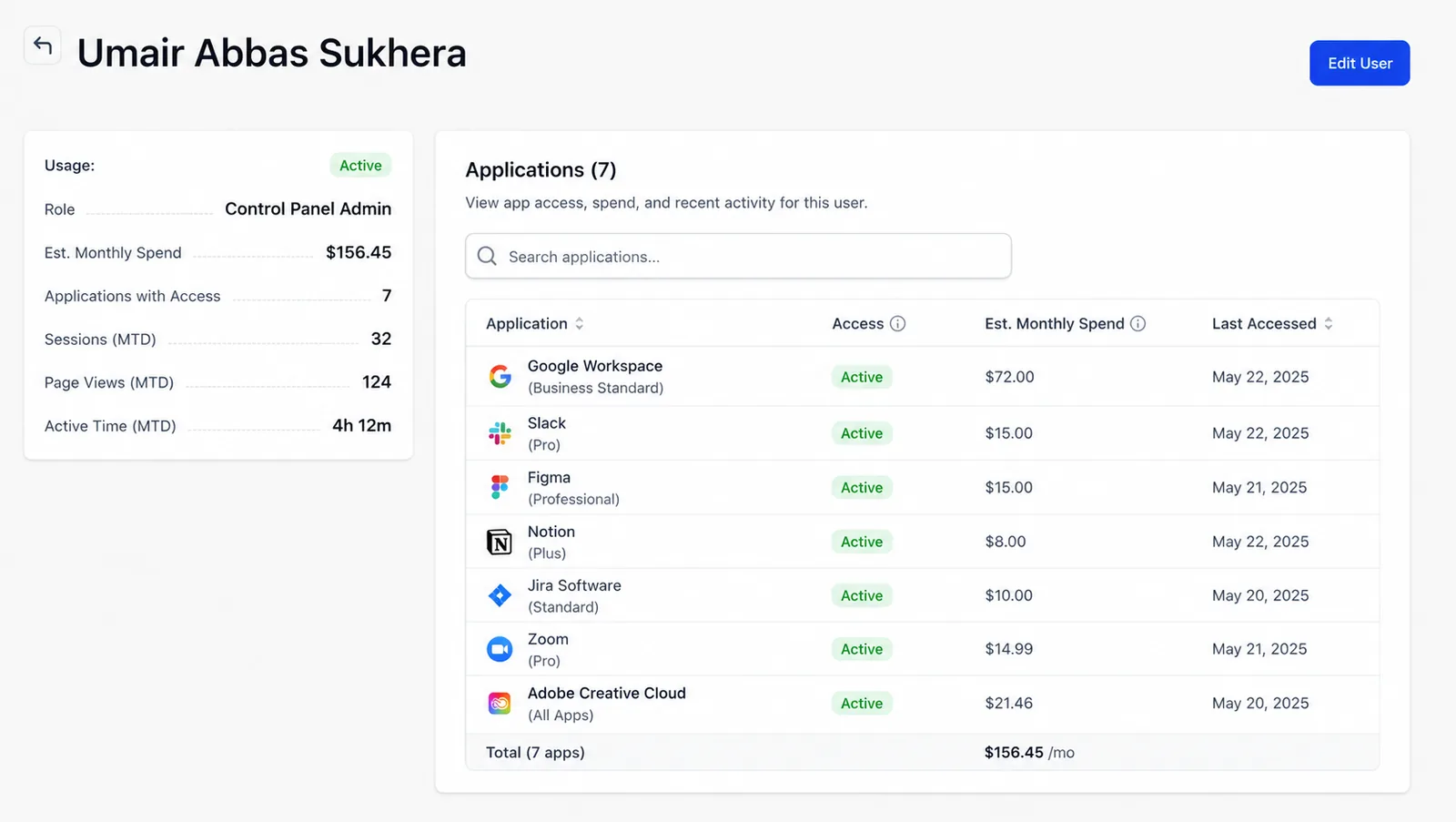
Offboarding looks like another problem a spreadsheet can solve with a checklist — and to a point, it can. A company can maintain applications by employee, identify the software someone owns, and create an offboarding checklist when they leave, all via a single spreadsheet. Disabled Google Workspace, check. Removed Microsoft access, check. Transferred ownership and reclaimed licenses, check.
Still, your spreadsheet cannot log into fifteen independent SaaS applications and verify that the person's access disappeared.
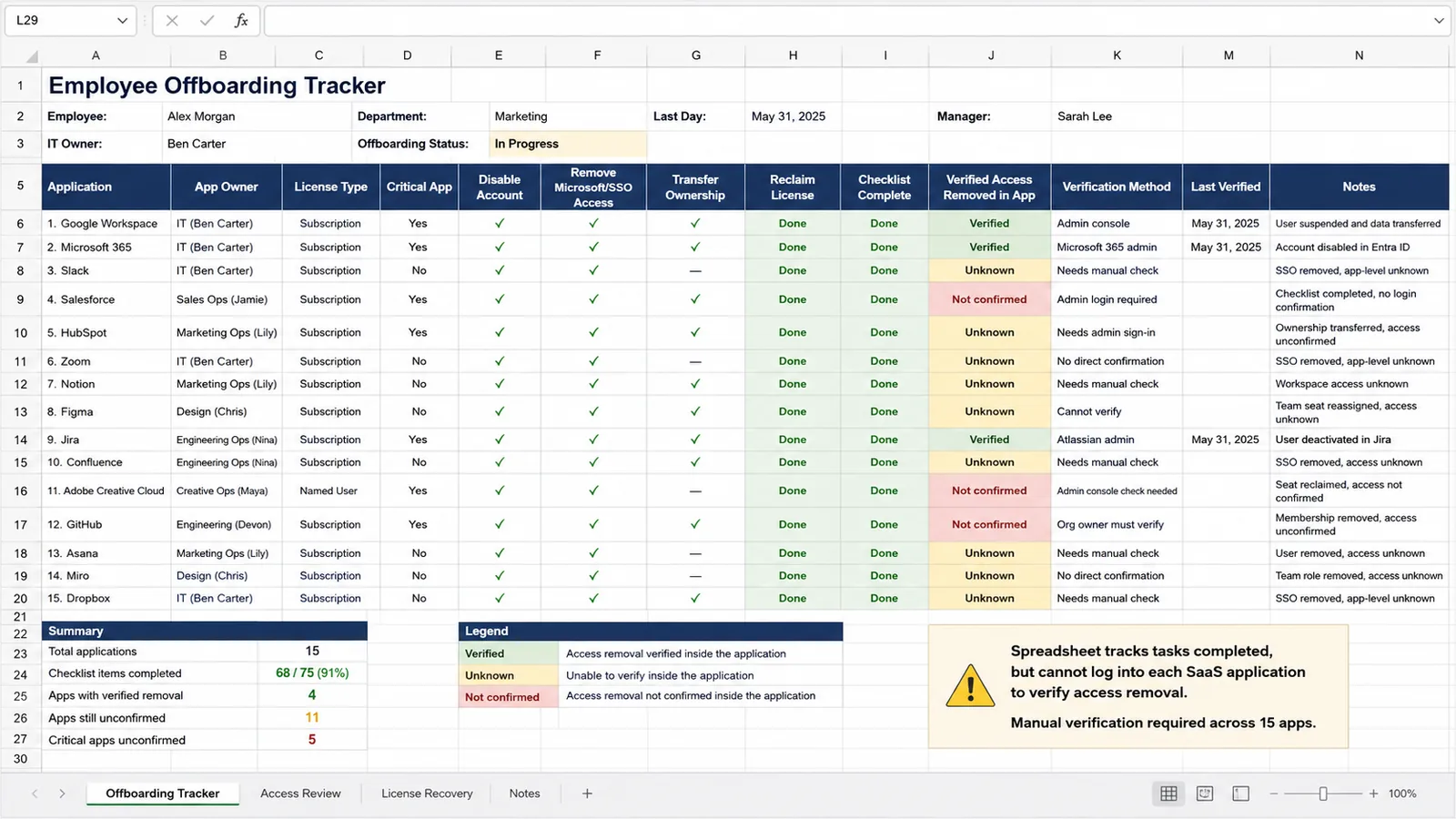
This becomes particularly difficult when some tools use Google authentication and others use Microsoft.
Nicklpass currently has license assignment live, Google-auth cancellations in beta, and Microsoft-auth cancellations in progress.
Once a company has spend, licenses, and renewal dates in one spreadsheet, the next step is finding the waste — and spreadsheets are actually excellent analytical tools. Finance can sort applications by annual cost. IT can flag unassigned licenses. Procurement can identify upcoming renewals. Teams can mark duplicate software categories. A savings column can estimate what the company might recover by cancelling tools or reducing seats.
The cracks become visible after somebody marks the row "Cancel."
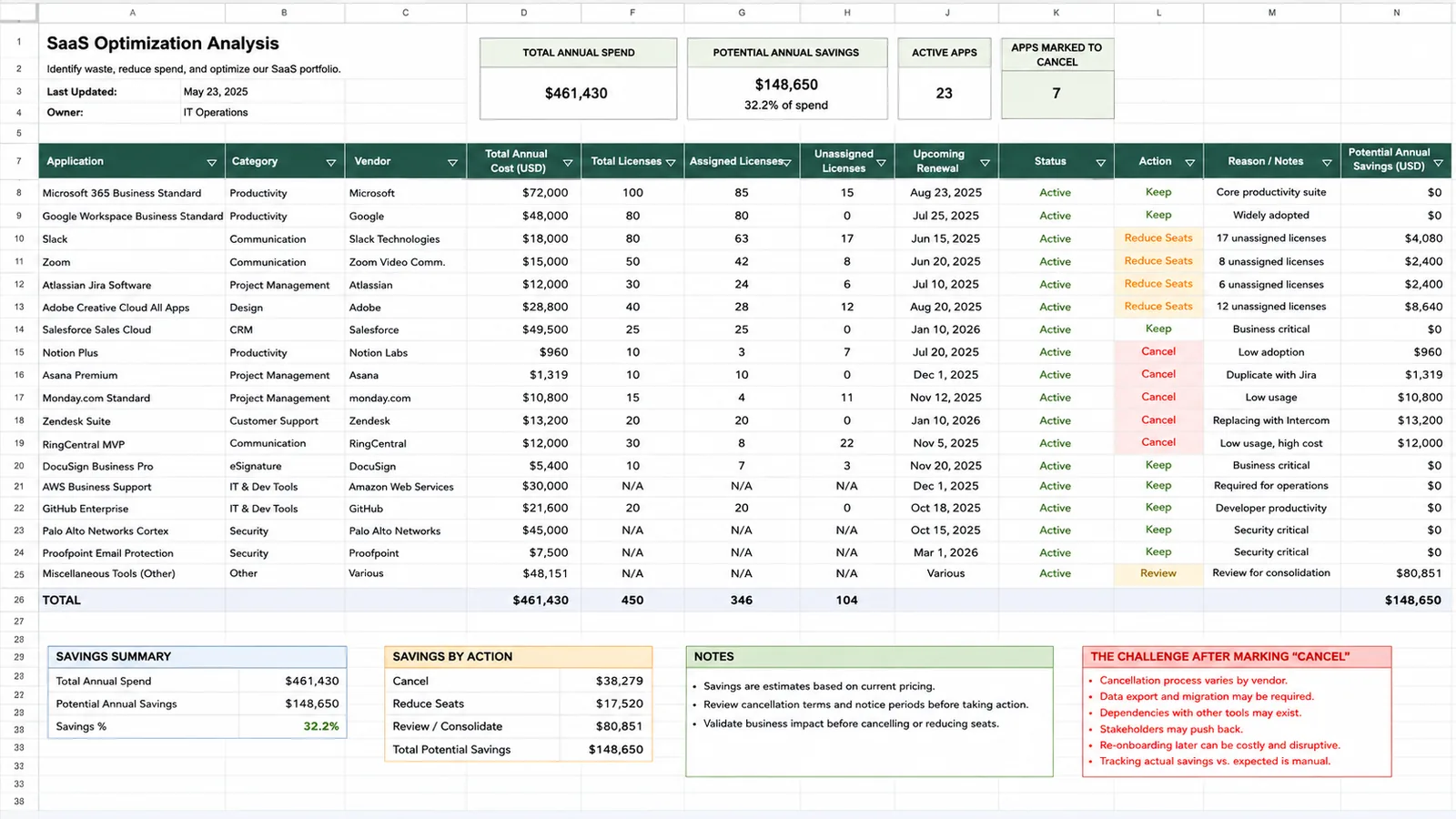
Someone has to contact the owner. Confirm the application is not needed. Determine who uses it. Find the vendor credentials. Understand the cancellation process. Contact the vendor if necessary. Remove users. Preserve data. Confirm the cancellation. Record the result.
The spreadsheet found the task. A human still has to become the workflow.
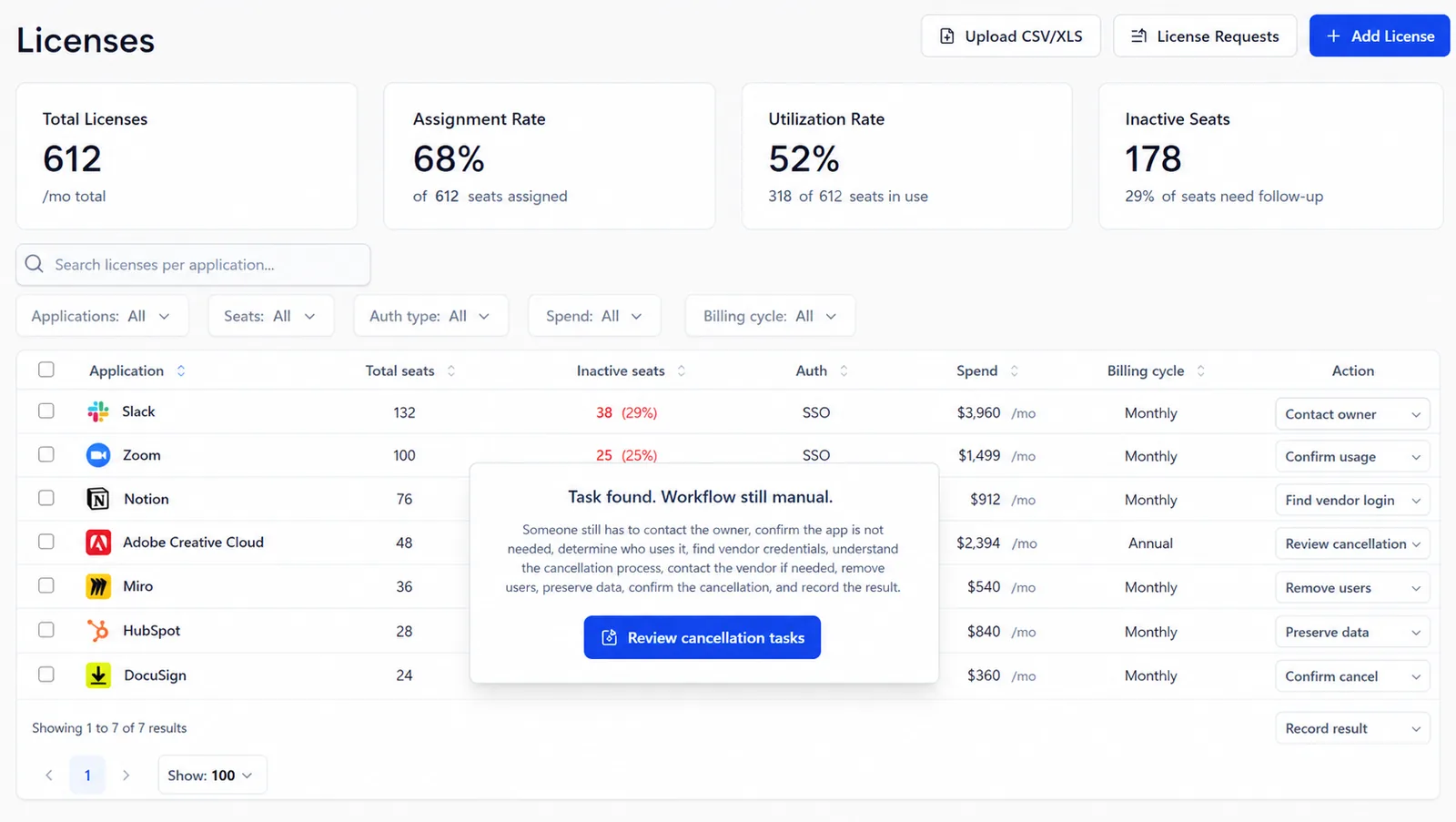
AI-driven recommendations are in beta, while cancellation and de-provisioning capabilities vary by authentication path.
AI brings nearly every weakness of spreadsheet-based SaaS management together at once. It is decentralized, fast-moving, easy to purchase, and increasingly consumption-based.
Knowing that someone has access to Claude is different from knowing whether they use it. Acknowledging that the company purchased an AI product is not the same as understanding token consumption.
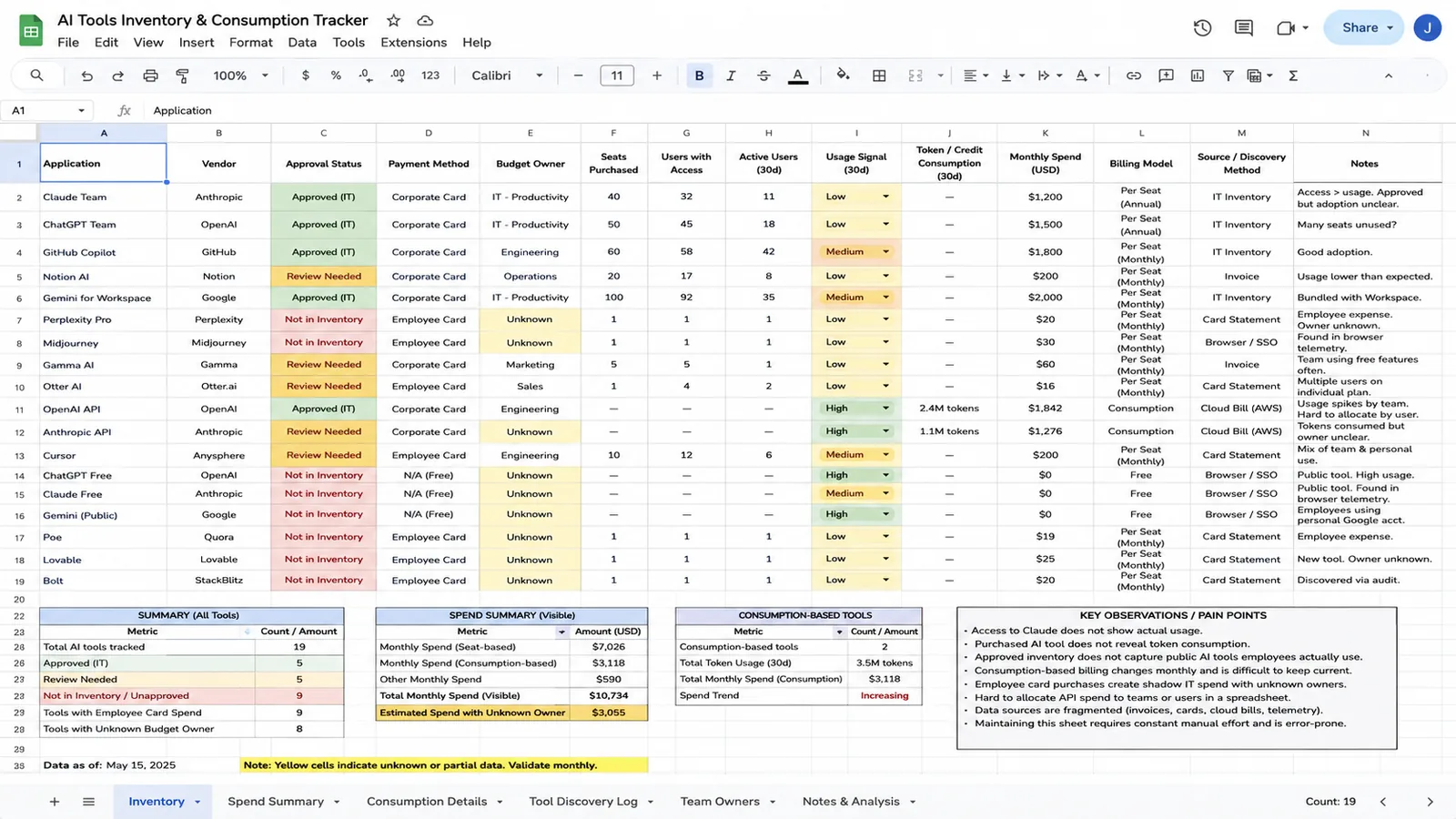
That is why IT managers are now asking how to track usage across tools such as ChatGPT, Claude, and Gemini. AI exacerbates the issue by adding a telemetry problem on top of the existing inventory problem.
A spreadsheet can record an AI seat count. It can't observe the consumption that produces it.
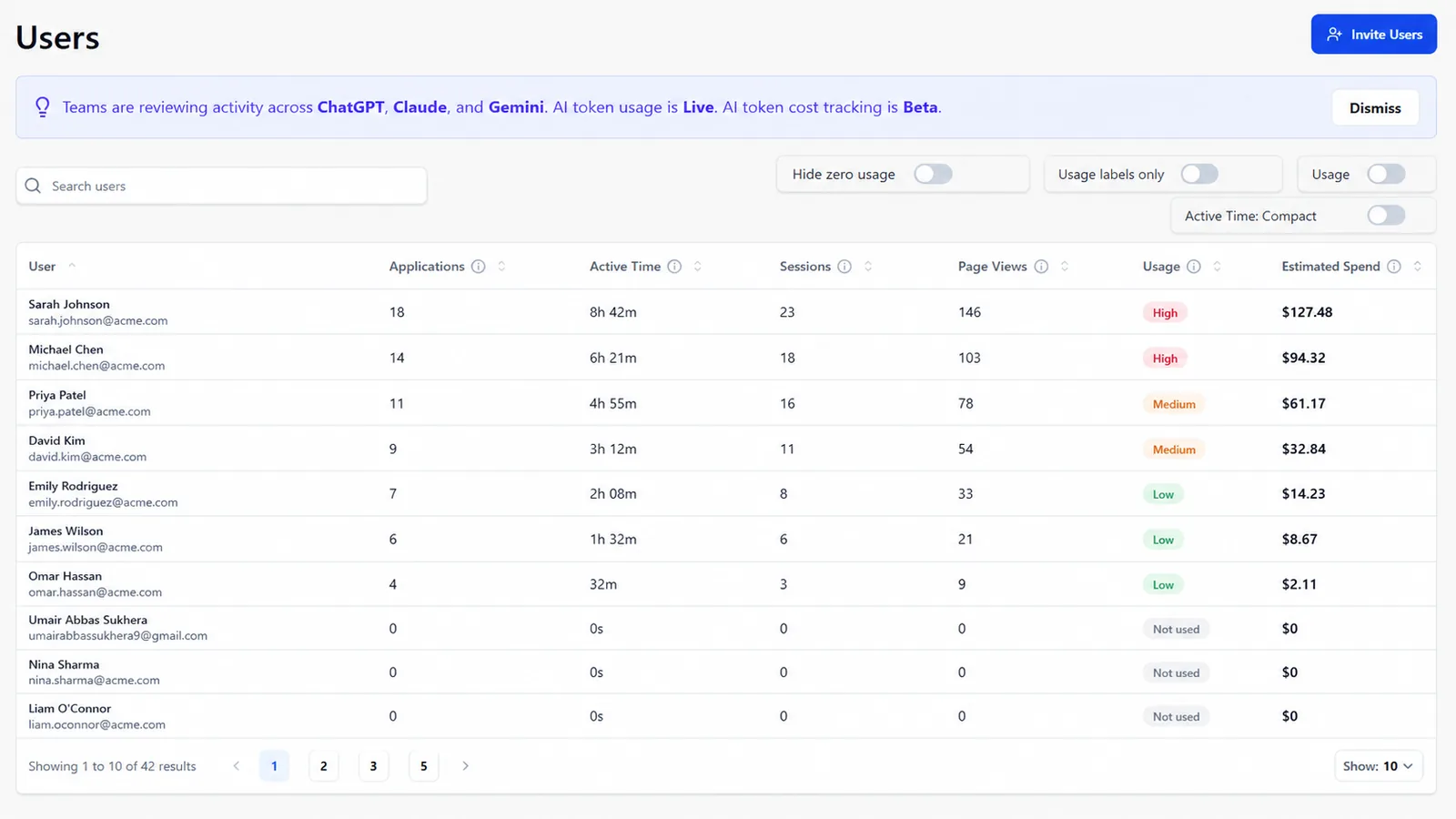
Nobody needs a SaaS management platform simply because spreadsheets are old technology. If a spreadsheet still answers your questions, it's the right tool — and to prove we mean that, we built you the best one we could.
Inventory, spend, licenses, renewals, offboarding, optimization, and AI tracking. Renewal rows turn red on their own; license waste calculates itself.
It's the spreadsheet we'd use if we didn't build Nicklpass. Use it — and the day keeping it accurate becomes a job of its own, see what Nicklpass is building for your SaaS needs.
Connect your spend and your workspace, and see the gap between what you pay for and what gets used.
